
Zooza MCP Server
An open-source Model Context Protocol (MCP) server that connects Claude, ChatGPT, and other AI assistants directly to your Zooza account. Natural language scheduling, attendance tracking, and class management — no dashboard required.
README
<p align="center"> <img src="https://www.zooza.online/wp-content/uploads/2025/02/zooza-logo.png" alt="Zooza" width="200" /> </p>
<h1 align="center">Zooza MCP Server — AI-Powered Class Management for Activity Businesses</h1>
<p align="center"> An open-source <a href="https://modelcontextprotocol.io">Model Context Protocol (MCP)</a> server that connects Claude, ChatGPT, and other AI assistants directly to your Zooza account.<br/> Natural language scheduling, attendance tracking, and class management — no dashboard required. </p>
<p align="center"> <a href="https://modelcontextprotocol.io"><img src="https://img.shields.io/badge/MCP-compatible-6366f1?style=flat-square" alt="Model Context Protocol server"/></a> <a href="LICENSE"><img src="https://img.shields.io/badge/license-MIT-22c55e?style=flat-square" alt="Open source — MIT License"/></a> <a href="https://zooza.online"><img src="https://img.shields.io/badge/Zooza-official-f97316?style=flat-square" alt="Official Zooza integration"/></a> <a href="https://mcp.zooza.app/mcp"><img src="https://img.shields.io/badge/endpoint-live-22c55e?style=flat-square" alt="Live MCP endpoint"/></a> </p>
<p align="center"> <a href="https://zooza.online">Website</a> · <a href="https://help.zooza.online">Documentation</a> · <a href="#connect-in-2-minutes">Quickstart</a> · <a href="#available-tools">Tools</a> · <a href="https://signup.zooza.online">Get a Zooza account</a> </p>
See it in action
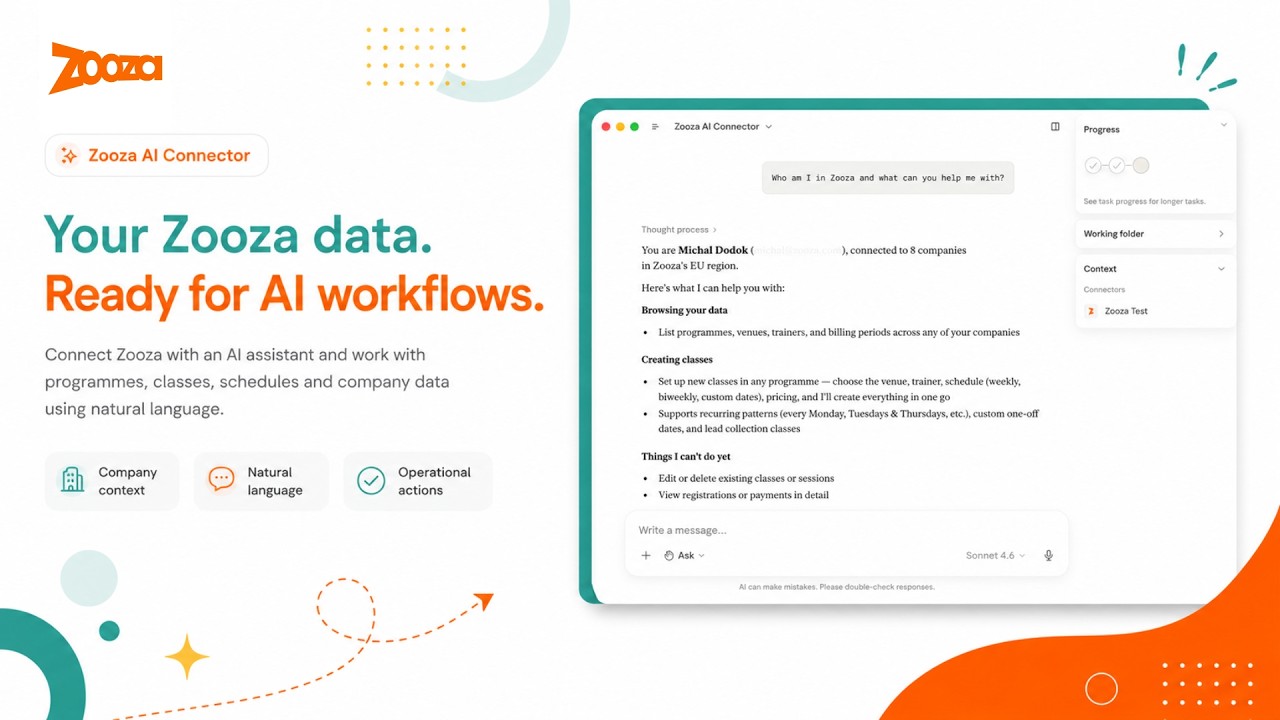
What this is
Zooza MCP Server is a free, open-source Model Context Protocol (MCP) integration for Zooza — the class management and scheduling software for dance schools, language academies, swim schools, music schools, STEAM programmes, sports clubs, and other activity businesses.
It lets activity managers, school administrators, and franchise operators manage schedules, track attendance, create classes, handle bookings, and query their data through natural language conversation — using Claude, ChatGPT, or any MCP-compatible AI client — without opening the Zooza dashboard.
Zooza powers 500,000+ learners across Slovakia, the Czech Republic, Germany, the UK, and beyond — from single-location dance schools to international franchise networks. This MCP server brings the same platform to any AI client that speaks the Model Context Protocol.
New to Zooza? Create a free account at signup.zooza.online — it takes under 2 minutes.
What you can do
Take attendance
<img src="docs/screenshots/screenshot-programmes.png" alt="Show active programmes in Claude" width="720"/>
"Open the register for tonight's adult ballet class."
"Who was absent from Saturday's Spanish beginners session?"
"Mark everyone present in today's robotics group."
"Add a note to this week's yoga class — we covered breathing techniques."
Build a term from scratch
<img src="docs/screenshots/screenshot-create-class.png" alt="Create a new class in Claude" width="720"/>
"Create a new Spanish for beginners course for Spring 2026 at the city centre location.
 Classes every Tuesday 16:00–17:00 for 12 weeks, starting 3 March.
 Assign trainer Tomáš Novák and preview the full schedule before I confirm."
<img src="docs/screenshots/screenshot-schedule-preview.png" alt="Schedule preview before confirming" width="720"/>
"Set up our summer robotics camp — Monday to Friday, 9:00–13:00, for 4 weeks in July.
 Split into two age groups: 6–9 and 10–14. Preview both before I confirm."
Turn a photo into a full term — no blank page
Building a season by hand means two days of typing into empty forms. Instead, hand the assistant whatever you already have — a whiteboard photo, a hand-drawn sketch, a spreadsheet screenshot — and it drafts the whole term for you to review before anything goes live.
"Here's a photo of our autumn whiteboard — create these classes in my account, starting Monday the 8th."
"Screenshot of our timetable spreadsheet attached. Build the full term, respecting our holiday calendar."
You always see a preview table and calendar first, and nothing is created until you confirm — you bring the intent, you keep the final say. Read how one brand turned a single photo into 68 live classes across venues: From a photo to a full term of live classes.
Get instant answers
"Which programmes are running this billing period?"
"Who's teaching dance on Monday evenings?"
"Which STEAM courses still have free capacity this term?"
"What sessions are scheduled for tomorrow?"
Manage bookings
"Show unpaid registrations from this season."
"Which clients are on the waiting list for Saturday gymnastics?"
"How many spots are left in the beginner English course?"
Ask for any report — in plain language
No report modules, no spreadsheet formulas. Ask a business question the way you actually think about it, and the assistant pulls the real numbers and lays them out — shaped around your question, not a fixed dashboard.
"Who's at which venue each day this week?"
"Which instructors are stretched thin, and who has room for more?"
"What grew and what shrank between the spring and summer terms?"
"How many seats does my whole operation actually have right now?"
Reporting only ever reads — it never touches bookings, classes, or payments, so you can explore freely. More on how brands use this: Custom reports, just by asking.
No clicking through menus. No switching tabs. No automation scripts. Just ask — Claude handles the lookups, rosters, previews, and confirmations.
Supported clients
| Client | How to connect |
|---|---|
| Claude Desktop | Native MCP over HTTPS |
| Claude Code | Plugin zip or manual .mcp.json |
| ChatGPT | OpenAI Actions — domain verified at mcp.zooza.app |
| Any MCP-compatible client | Streamable HTTP — https://mcp.zooza.app/mcp |
Connect in 2 minutes
Don't have a Zooza account yet? Sign up free at signup.zooza.online
Claude Desktop
Add this to your claude_desktop_config.json:
{
  "mcpServers": {
    "zooza": {
      "type": "http",
      "url": "https://mcp.zooza.app/mcp"
    }
  }
}
File location:
- macOS:
~/Library/Application Support/Claude/claude_desktop_config.json - Windows:
%APPDATA%\Claude\claude_desktop_config.json
Restart Claude Desktop. On first use, you'll be prompted to sign in to your Zooza account — no API keys, no extra setup, just your existing login.
Claude Code
Download the latest plugin from Releases (file named zooza-plugin-v*.zip) and run:
/install-plugin zooza-plugin-v*.zip
The plugin includes the MCP connection config, guided workflow skills, and automatic session context.
Note: Five of the 30 tools (
get_terminology,explain_data_model,comms_list_merge_vars,classes_list_schedule_patterns,negotiate_terminology) work without any Zooza account — useful for exploring how the data model works before connecting live data.
How it works
You → Claude / ChatGPT → Zooza MCP Server → Zooza API → Your data
The MCP server is stateless and hosted by Zooza at mcp.zooza.app. You don't run anything locally. Every request is authenticated against your Zooza account — Claude can only see and change what you're already allowed to access in the dashboard.
Every write operation requires explicit confirmation before anything is committed — Claude shows you what it's about to create or change, and only proceeds when you confirm.
Regions: EU (SK/CZ/DE/RO/HU/IT/PL), UK, US, and Asia regions are all supported. Your account is automatically routed to the correct regional infrastructure.
Multi-location and franchise accounts: Claude will ask which location to operate on at the start of each session. You can switch mid-conversation — useful for comparing across sites or managing a network.
Languages & regions
Zooza MCP is designed for multilingual, multi-market operation. It understands regional terminology differences out of the box:
| Market | Language | How Zooza users say it |
|---|---|---|
| Slovakia | Slovak | kurzy (programmes), hodiny (sessions), dochádzka (attendance) |
| Czech Republic | Czech | kurzy / lekce (sessions), evidence docházky (attendance) |
| Germany / Austria | German | Kurse (courses), Stunden (sessions), Stundenplan (schedule) |
| UK | English | terms, registers, classes |
| Romania, Hungary, Italy, Poland | Local + English | supported |
The negotiate_terminology tool lets Claude learn your business's specific vocabulary once and use it in every future conversation — so if you call programmes "kurzy" and sessions "hodiny," Claude will always respond in your terms.
Available tools
30 tools covering scheduling, attendance, bookings, client communication, reporting, class and session editing, and Zooza domain knowledge.
Scheduling & class management
| Tool | What it does |
|---|---|
classes_preview_schedule |
Preview a recurring class schedule before committing |
classes_preview_events |
Preview individual sessions across a date range |
classes_commit_class |
Create a class with a full recurring session schedule |
Editing classes & sessions
Every edit is a two-step preview → confirm — nothing changes until you approve the diff.
| Tool | What it does |
|---|---|
classes_prepare_update |
Preview an edit to a class — name, price, capacity, billing period, instructor, venue, or duration |
classes_commit_update |
Apply a previewed class edit after explicit confirmation |
sessions_prepare_update |
Preview edits to specific sessions — reschedule a date/time, or change instructor, venue, or duration |
sessions_commit_update |
Apply previewed session edits, optionally notifying affected clients |
Attendance
| Tool | What it does |
|---|---|
sessions_find_events |
Find scheduled sessions by date, trainer, or programme |
sessions_get_attendance |
Get the attendance list for one session — who is enrolled and their current status |
sessions_mark_attendance |
Record attendance for each participant (attended / absent / late-cancel) |
sessions_add_summary |
Add a coach note or session summary to a completed event |
Bookings
| Tool | What it does |
|---|---|
bookings_find |
Find who is enrolled in a class, resolve a client, or list unpaid registrations |
Client communication
| Tool | What it does |
|---|---|
comms_list_templates |
List the automated email templates Zooza sends to this company's clients |
comms_prepare_message |
Plan an email to an audience (programme, class, booking, client, or segment) — nothing is sent |
comms_commit_message |
Send a prepared message plan, only after explicit confirmation |
Reporting
| Tool | What it does |
|---|---|
reports_get_data |
Return real, pre-aggregated business numbers (occupancy, unpaid, attendance, revenue…) to compose a report |
Lookups
| Tool | What it does |
|---|---|
whoami |
Identify the connected user and list accessible companies/locations |
classes_find_courses |
Search programmes by billing period, name, or status |
classes_find_classes |
Find a specific class/group within a programme and resolve its schedule_id |
classes_find_billing_periods |
List billing periods (seasons/terms) for a company |
trainers_find |
List trainers available at a location |
trainers_find_rate_types |
List a company's trainer pay-rate types (used when assigning a rate) |
classes_find_places |
List rooms and locations for a company |
Free tools — Zooza domain knowledge (no API calls, no account needed)
These five tools carry Zooza-specific knowledge and work without credentials — no Zooza account required. Useful for exploring the data model, preparing messages, and setting up vocabulary before connecting live data.
| Tool | What it does |
|---|---|
get_terminology |
Translate Zooza terms by region — e.g. "Programme" vs "Course" vs "Kurz" |
explain_data_model |
Explain how Zooza entities relate (Programme → Class → Session → Registration) |
comms_list_merge_vars |
Full catalogue of merge variables for Zooza message templates |
classes_list_schedule_patterns |
Reference for recurrence patterns (weekly, bi-weekly, block, camp) |
negotiate_terminology |
Save your business vocabulary to Claude memory for future sessions |
Utilities
| Tool | What it does |
|---|---|
get_skill |
Load a guided playbook for multi-step workflows |
submit_feedback |
Submit a feature request or bug report to the Zooza engineering team |
Skills — guided activity workflows
Skills are playbooks that teach Claude how to combine tools correctly for real operational scenarios. Claude loads the right skill automatically when it detects a matching request.
| Skill | What it handles |
|---|---|
onboarding-profile |
Guided first-run setup — identifies the business model, aligns vocabulary, and walks through the full setup checklist. |
class-management |
Full guided flow for creating a class: interview → schedule preview → confirmation. |
schedule-optimization |
Build a whole weekly timetable for a new term — optimise from scratch or roll over the current period. |
communication |
Guided client email flow: work out the audience, pick a template or compose, preview recipient counts, send after confirmation. |
report-discovery |
Maps a business symptom ("feels like fewer kids coming") to the right metric and report. |
report-compose |
Build a focused, single-question report from the operator's real data — no invented numbers. |
business-model-validator |
Check whether a proposed programme structure fits Zooza's pricing and billing model before building it. |
negotiate-terminology |
Interview the operator about their vocabulary and save the profile to Claude memory. |
feedback-nudge |
Draft and submit a bug report or feature request to the Zooza engineering team. |
Coming next tools: cancel_day · transfer_booking · initiate_refund
Security & compliance
- TLS on all traffic between your AI client and
mcp.zooza.app - OAuth 2.0 — Claude receives a scoped token tied to your Zooza identity, not your password
- Permission inheritance — Claude can only do what your Zooza account allows
- Confirmation before write — all operations that create or change records require explicit confirmation
- Stateless server — the MCP server holds no session state between requests. For security and debugging, Zooza keeps a server-side audit log of tool calls (which tool ran, its arguments, and the result); it stays within Zooza's own infrastructure and is never shared with third parties
- GDPR-ready — Zooza processes data in accordance with GDPR. See the Privacy Policy and Terms of Personal Data Processing. EU accounts are routed to EU-region infrastructure.
- Regional data routing — EU, UK, US, and Asia regions each route to their own infrastructure; your JWT determines the region automatically
Queries to Zooza MCP may be processed by your chosen AI provider (Anthropic, OpenAI, etc.). Review their data policies alongside Zooza's when evaluating compliance requirements. All write operations require explicit confirmation before execution.
What Zooza is
Zooza is an end-to-end class management and scheduling software platform for activity brands:
Dance & movement — dance academies, gymnastics, baby movement classes, yoga
Language & education — language schools, tutoring centres, STEAM / robotics / coding
Sports — martial arts, swim schools, tennis academies, sports clubs and franchises
Camps & seasonal — summer camps, holiday programmes, weekend workshops
Music — music schools, instrument lessons, group and individual programmes
Fitness & wellness — fitness studios, pilates, baby & toddler classes
All running on one platform, from a single location to an international franchise network.
Zooza handles the full operational lifecycle: programme setup, class scheduling, client bookings and registrations, attendance tracking, payment management, parent communication, and multi-location reporting — designed to automate the manual work that currently lives in spreadsheets, WhatsApp groups, and six different dashboard tabs.
Zooza MCP extends this platform to AI. Instead of clicking through dashboards, your team — from activity managers to franchise operators — can operate Zooza through natural language conversation using Claude, ChatGPT, or any AI client that speaks the Model Context Protocol.
Roadmap
| Tool | What it will do |
|---|---|
cancel_day |
Cancel all classes on a date with optional parent notifications |
transfer_booking |
Move a client from one class to another |
initiate_refund |
Prepare and confirm a credit or refund |
For developers
<details> <summary>Local development setup</summary>
Run locally
git clone https://github.com/zooza-dev/zooza-mcp-server
cd zooza-mcp-server
npm install
cp .env.example .env   # fill in credentials
npm run dev            # http://localhost:3001/mcp
Want to self-host, contribute, or build on top of this? The setup takes under 5 minutes — see the architecture section below.
Environment variables
| Variable | Required | Description |
|---|---|---|
ZOOZA_API_BASE |
yes | Zooza API base URL (e.g. http://php-server/v1) |
ZOOZA_API_KEY |
yes | Server-wide API key for the MCP integration |
MCP_RESOURCE_URL |
prod | Public URL of this MCP server |
MCP_AUTH_SERVER_URL |
prod | Zooza OAuth server base URL |
PORT |
no | HTTP port (default 3001) |
ZOOZA_SERVER_REGION |
no | eu (default) / uk / us / asia |
ZOOZA_ALLOW_HARDCODED_AUTH |
dev only | Set true to skip JWT validation locally |
ZOOZA_API_TOKEN |
dev only | Dev-fallback token (only with hardcoded auth enabled) |
AUDIT_LOG_PATH |
no | Per-tool-call JSONL audit log path (default logs/audit.log) |
Smoke test
curl -sS http://localhost:3001/mcp \
  -H 'Content-Type: application/json' \
  -H 'Accept: application/json, text/event-stream' \
  -d '{"jsonrpc":"2.0","id":1,"method":"tools/list"}'
Debug bookend workflow
Every tool call appends one JSON line to logs/audit.log. Each entry carries request_id, tool, args, outcome, result-or-error, and duration_ms.
Bookend pattern for debugging:
- "I'm about to call
sessions_find_events." → Claude records the log line count - Run the tool from your MCP client
- "done." → Claude reads the new lines and reports what the server saw
Architecture
Claude / ChatGPT (any MCP client)
    │  Streamable HTTP over TLS
    ▼
mcp.zooza.app  (Node.js / TypeScript — stateless)
    │  OAuth 2.0 JWT validation + regional routing
    ▼
Zooza API  (your data, your permissions)
The skills layer is a differentiator worth noting: skills are .md playbooks delivered as MCP prompts resources. An operator installs them locally (/install-plugin) and Claude loads the relevant one automatically. If you're building a vertical MCP server for another domain, the skills architecture is reusable — it separates "what tools do" from "how to use them together."
</details>
Support
help.zooza.online — Full documentation
zooza.online — Platform website
hello@zooza.online — Get in touch
signup.zooza.online — Create a Zooza account
If this saves you time, a ⭐ helps others find it.
<p align="center"> Built by <a href="https://zooza.online">Zooza</a> — class management and scheduling software for activity brands. </p>
Recommended Servers

playwright-mcp
A Model Context Protocol server that enables LLMs to interact with web pages through structured accessibility snapshots without requiring vision models or screenshots.

Magic Component Platform (MCP)
An AI-powered tool that generates modern UI components from natural language descriptions, integrating with popular IDEs to streamline UI development workflow.

Audiense Insights MCP Server
Enables interaction with Audiense Insights accounts via the Model Context Protocol, facilitating the extraction and analysis of marketing insights and audience data including demographics, behavior, and influencer engagement.

VeyraX MCP
Single MCP tool to connect all your favorite tools: Gmail, Calendar and 40 more.

graphlit-mcp-server
The Model Context Protocol (MCP) Server enables integration between MCP clients and the Graphlit service. Ingest anything from Slack to Gmail to podcast feeds, in addition to web crawling, into a Graphlit project - and then retrieve relevant contents from the MCP client.

Kagi MCP Server
An MCP server that integrates Kagi search capabilities with Claude AI, enabling Claude to perform real-time web searches when answering questions that require up-to-date information.

E2B
Using MCP to run code via e2b.

Neon Database
MCP server for interacting with Neon Management API and databases

Exa Search
A Model Context Protocol (MCP) server lets AI assistants like Claude use the Exa AI Search API for web searches. This setup allows AI models to get real-time web information in a safe and controlled way.

Qdrant Server
This repository is an example of how to create a MCP server for Qdrant, a vector search engine.