
squish
Converts video into timestamped contact sheets, enabling AI agents to navigate and retrieve visual evidence from specific timecodes rather than watching entire clips.
README
@getsquish/squish



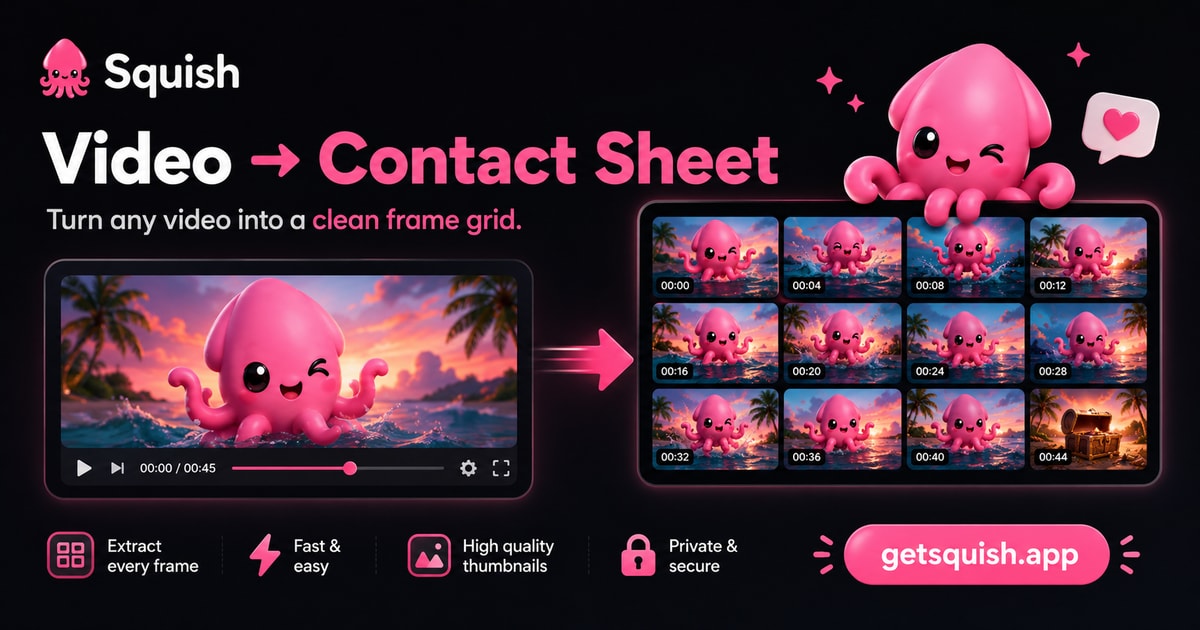
Give AI random access to video. Instead of forcing a model to watch a clip from beginning to end, Squish converts continuous video into an addressable visual representation — one an agent can navigate, revisit, and progressively refine. Timestamped contact sheets are the first implementation of that primitive: a grid of frames, each cell stamped with its absolute timecode. Everything runs on your machine. From the makers of getsquish.app.
Agents don't consume videos — they navigate them. Real run: a scene cut pinned to 0.2 s by retrieving 34 frames — not 3,088 (overview → zoom → zoom).
The demo is the primitive. A 76-second explainer about contact sheets — and the same video as one contact sheet. One needs a play button; the other you just read:
<table> <tr> <td width="50%" align="center" valign="top"> <a href="https://getsquish.app/assets/content/smart-contact-sheets.mp4"> <img src="https://getsquish.app/assets/content/smart-contact-sheets-poster.jpg" alt="How smart contact sheets make video addressable — 76-second explainer video" width="100%"> </a> <br><sub><b>▶ watch — 76 s, linear</b></sub> </td> <td width="50%" align="center" valign="top"> <a href="https://getsquish.app/assets/content/smart-contact-sheets-3x3.jpg"> <img src="https://getsquish.app/assets/content/smart-contact-sheets-3x3.jpg" alt="The same 76-second video as one timestamped 3×3 contact sheet" width="100%"> </a> <br><sub><b>read — one sheet, random access</b></sub> </td> </tr> </table>
Why this works
Video is continuous; reasoning is sparse. Most questions touch a tiny fraction of the timeline. Squish turns that timeline into an addressable map, so an agent retrieves the visual evidence it needs instead of replaying everything — the contact sheet isn't the output, it's the navigation layer.
Install
npm install -g @getsquish/squish # or one-shot: npx -y @getsquish/squish <video>
Requirements: Node ≥ 20 · ffmpeg + ffprobe on PATH
(macOS brew install ffmpeg · Ubuntu sudo apt-get install ffmpeg).
CLI
squish clip.mov                       # sheets land beside the input
squish clip.mov --density 5x5 --json  # denser grid + machine-readable output
squish clip.mov --start 1:00 --end 1:30 --density 5x5   # zoom into a range
Output: <basename>.sheet-N.jpg — a timecoded frame grid. Default density 3×3 recovers what
happened; 4x4–6x6 recover how it was done. --out <dir> picks the destination.
--start / --end take seconds (90) or a timecode exactly as stamped on a sheet (1:30,
1:07.3) and window the run to that range. Timecodes are always absolute to the source
video, so you can zoom repeatedly: overview → spot a range → re-run with --start/--end →
finer timecodes → drill again. Short windows stamp sub-second timecodes (1:07.3) so adjacent
cells stay distinguishable.
With --json, stdout is one object (frozen contract — parse contract to detect breaking
changes):
{
  "input": "/abs/path/clip.mov",
  "duration": 20.275,
  "frames": 9,
  "sheets": 1,
  "files": ["/abs/path/clip.sheet-1.jpg"],
  "warnings": [],
  "contract": "squish-cli-v0"
}
Exit 0 success · 1 failure (message on stderr). Temp frames are always cleaned up.
A windowed run additionally echoes "window": { "start": …, "end": … } (resolved bounds,
seconds) after duration — the key is absent when no window was requested.
MCP server
squish mcp # stdio server
One tool, squish_video — { video_path, density?, start?, end?, out_dir? } → the CLI
contract plus timecodes[][] (one per frame, per sheet; m:ss, sub-second m:ss.d when
a window is short), stamped "contract": "squish-mcp-v0". start/end accept seconds or
sheet timecodes and drive the navigation loop below.
Works with Claude Code, Claude Desktop, Cursor, Hermes, and any stdio MCP client:
{
  "mcpServers": {
    "squish": { "command": "npx", "args": ["-y", "@getsquish/squish", "mcp"] }
  }
}
The navigation loop
- Overview — call
squish_video(MCP) orsquish clip.mov --json(CLI) and read the sheet(s) with vision. Cells run in time order, left→right, top→bottom. - Navigate — spot the regions that matter; every cell carries an absolute timecode.
- Zoom — call again with
start/endset to the timecodes you spotted, only where uncertainty remains: denser sheets of a narrower window, addresses still absolute. - Repeat until the answer is observable — never re-read the whole clip at high density when one range matters.
- Cite absolute timestamps ("at 0:07 the press comes down").
Privacy
The CLI and MCP server process everything on your machine — nothing is uploaded, ever, and every density is free. Want remote processing instead (CI, serverless, no ffmpeg)? There's a hosted API — an intentional upload, prepaid credits, with a free daily allowance for accounts that never purchased.
This repository
This is the engine — the CLI + MCP mouths of Squish, published to npm as
@getsquish/squish. It is a curated,
mirror-first export of a private monorepo (which stays the source of truth); history here
starts at the first public release. See CONTRIBUTING.md for how changes
flow.
Not in this repo, on purpose:
- the getsquish.app web app (PWA) — same core planners, browser hands;
- the hosted API (
api.getsquish.app) — the paid rail: intentional upload, prepaid credits, a free daily allowance for never-paid accounts; - brand assets — the Squish name, logo, mascot, and OG images are reserved.
src/            CLI (main/args) · engine (probe → plan → extract → compose → write) · MCP server · sheet renderer
src/core/       pure planners shared with the web app: density · sampling · grid layout · timecode format
tests/          node:test suite + a real-MCP-client e2e
SKILL.md        drop-in agent skill teaching the contact-sheet + zoom-loop recipe
License
Apache-2.0 (with NOTICE). The Squish name, logo, mascot, and getsquish.app brand assets are not licensed by this repository.
Recommended Servers

playwright-mcp
A Model Context Protocol server that enables LLMs to interact with web pages through structured accessibility snapshots without requiring vision models or screenshots.

Magic Component Platform (MCP)
An AI-powered tool that generates modern UI components from natural language descriptions, integrating with popular IDEs to streamline UI development workflow.

Audiense Insights MCP Server
Enables interaction with Audiense Insights accounts via the Model Context Protocol, facilitating the extraction and analysis of marketing insights and audience data including demographics, behavior, and influencer engagement.

VeyraX MCP
Single MCP tool to connect all your favorite tools: Gmail, Calendar and 40 more.

graphlit-mcp-server
The Model Context Protocol (MCP) Server enables integration between MCP clients and the Graphlit service. Ingest anything from Slack to Gmail to podcast feeds, in addition to web crawling, into a Graphlit project - and then retrieve relevant contents from the MCP client.

Kagi MCP Server
An MCP server that integrates Kagi search capabilities with Claude AI, enabling Claude to perform real-time web searches when answering questions that require up-to-date information.

E2B
Using MCP to run code via e2b.

Neon Database
MCP server for interacting with Neon Management API and databases

Exa Search
A Model Context Protocol (MCP) server lets AI assistants like Claude use the Exa AI Search API for web searches. This setup allows AI models to get real-time web information in a safe and controlled way.

Qdrant Server
This repository is an example of how to create a MCP server for Qdrant, a vector search engine.