
Roblox Executor MCP
Enables agents to interact with a running Roblox game client, execute Lua code, inspect scripts, spy on remotes, and more.
README
<p align="center"> <img src="docs/banner.svg" alt="Roblox Executor MCP" width="900"/> </p>
Roblox Executor MCP Server
An MCP server that allows Agents to interact with a running Roblox game client — execute code, inspect scripts, spy on remotes, and more.
Dashboard
Roblox Executor MCP includes a local web dashboard at:
http://localhost:16384/
Use it to see connected Roblox clients, inspect scripts, run tools, view server logs, configure semantic search, and index games for semantic script search.
Features
- Code Execution — Run Lua code and fetch data from the game client.
- Script Inspection — Decompile scripts and search across all sources.
- Instance Search — CSS-like selectors and hierarchy trees.
- Remote Spy — Intercept, log, block, and ignore Remotes/Bindables via Cobalt.
- GUI Interaction — Click buttons and type into text boxes.
- Screenshot — Capture Roblox window screenshots (Windows only).
- Multi-Client — Connect multiple Roblox clients at once.
- Primary / Secondary — Multiple MCP instances auto-coordinate with automatic promotion. Supports remote relaying via
--baseurl. See Advanced.
Tutorial
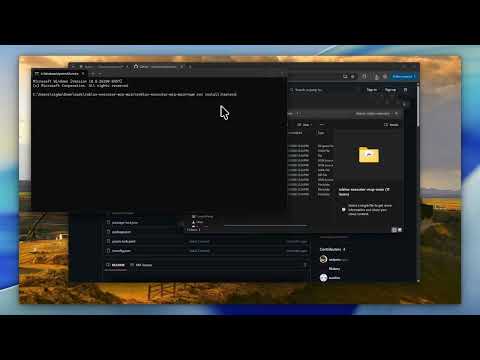
Prerequisites
- Node.js ≥ 18
- A Roblox executor that supports
loadstring,request, and (preferably)WebSocket
Quick Start
1. Clone the server
git clone https://github.com/notpoiu/roblox-executor-mcp.git
cd roblox-executor-mcp
2. Run the harness installer
The installer builds the server, lets you choose AI clients, writes supported MCP configs, and prints the Roblox loader script.
npm run install:harnesses
If your terminal has trouble with the interactive picker, use the plain numbered prompt:
npm run install:harnesses -- --plain
It can also help with:
- cross-machine setup on the same LAN
- copying the Roblox loader to your clipboard
- optional Ollama
embeddinggemmasetup for semantic indexing - pulling latest repo changes before install/build
To update an existing install later, run:
npm run update
The update command can stop currently running MCP server processes, optionally pull latest changes, and always rebuilds the server.
Manual setup
If you prefer to configure a client yourself, use the setup guide for your client:
| Client | Guide |
|---|---|
| Cursor | Setup Guide |
| Claude Desktop | Setup Guide |
| Claude Code | Setup Guide |
| Codex CLI | Setup Guide |
| Windsurf | Setup Guide |
| Antigravity | Setup Guide |
3. Connect from Roblox
The installer prints this for you. Put it in your executor or Auto Execute:
local bridgeUrl = getgenv().BridgeURL or "localhost:16384"
loadstring(game:HttpGet("http://" .. bridgeUrl .. "/script.luau"))()
Optional settings (set before the loadstring):
getgenv().BridgeURL = "10.0.0.4:16384"                  -- default: localhost:16384
getgenv().DisableWebSocket = true                        -- force HTTP polling
getgenv().DisableInitialScriptDecompMapping = true       -- skip initial decompilation
After the MCP server starts and Roblox connects, open the dashboard:
http://localhost:16384/
Community
Have a suggestion or need help? Join the Discord server.
Security
This server allows arbitrary code execution. Only use with AI clients you trust. Port
16384has no authentication — never expose it to the internet. For cross-machine setups, use a local network, VPN, or SSH tunnel. See Advanced for details.
License
Recommended Servers

playwright-mcp
A Model Context Protocol server that enables LLMs to interact with web pages through structured accessibility snapshots without requiring vision models or screenshots.

Magic Component Platform (MCP)
An AI-powered tool that generates modern UI components from natural language descriptions, integrating with popular IDEs to streamline UI development workflow.

Audiense Insights MCP Server
Enables interaction with Audiense Insights accounts via the Model Context Protocol, facilitating the extraction and analysis of marketing insights and audience data including demographics, behavior, and influencer engagement.

VeyraX MCP
Single MCP tool to connect all your favorite tools: Gmail, Calendar and 40 more.

graphlit-mcp-server
The Model Context Protocol (MCP) Server enables integration between MCP clients and the Graphlit service. Ingest anything from Slack to Gmail to podcast feeds, in addition to web crawling, into a Graphlit project - and then retrieve relevant contents from the MCP client.

Kagi MCP Server
An MCP server that integrates Kagi search capabilities with Claude AI, enabling Claude to perform real-time web searches when answering questions that require up-to-date information.

E2B
Using MCP to run code via e2b.

Neon Database
MCP server for interacting with Neon Management API and databases

Exa Search
A Model Context Protocol (MCP) server lets AI assistants like Claude use the Exa AI Search API for web searches. This setup allows AI models to get real-time web information in a safe and controlled way.

Qdrant Server
This repository is an example of how to create a MCP server for Qdrant, a vector search engine.