
resume-resume
Enables finding and resuming past coding sessions in plain English, managing dirty repos, and recovering from crashes, with indexed full-text search across session history.
README
<p align="center"> <img src="https://raw.githubusercontent.com/eidos-agi/resume-resume/master/assets/logo.png" alt="resume-resume" width="480"/> </p>
resume-resume
New free tool we're dropping.
| Resume | Find old programming sessions in plain English and pick up where you left off. |
| Dirty Repos | See every repo with uncommitted changes across your entire machine — your standing to-do list. Scored by file count and recency. |
| Crash Recovery | boot_up finds interrupted sessions AND scans all repos for dirty git state. Ready-to-paste resume commands. |
| Prioritize | Auto-ranks sessions and repos by urgency — dirty files don't age out, recent active work surfaces first. |
| Speed | Paste a chat back to life in ~6 ms — indexed full-text search across your entire history (see below). Plus parallel git scans across 50+ repos. |
| Cost Savings | Uses Haiku to summarize past context once, then caches permanently — searching thousands of sessions costs nothing after first run. |
| Merge | Merge multiple old chats together, pulling context across sessions into a single conversation — including across tools: bridge Codex research into a Claude Code session and vice versa. |
Paste a dead chat back to life — in milliseconds
Your session crashed; the terminal still shows the tail of it. Copy any chunk of that text, run cr, paste. It finds the exact chat that text came from and reopens it — no session id, no scrolling a list. Indexed full-text search across your whole history, and unlike grep/rg it ranks and verifies the match — so it opens the right chat (0% wrong in testing), not the first hit.
<p align="center"> <img src="https://raw.githubusercontent.com/eidos-agi/resume-resume/master/assets/perf.png" alt="query latency — 6 ms indexed vs 5.5 s brute-force scan" width="760"/> </p>
MCP Server
Add it to Claude Code and every session on your machine can search, read, and merge your full session history — in plain English. Indexes both Claude Code and Codex CLI sessions, so one query reaches across both tools.
pip install resume-resume
claude mcp add resume-resume -- resume-resume-mcp
Or manually in your MCP config:
{
  "mcpServers": {
    "resume-resume": {
      "command": "resume-resume-mcp"
    }
  }
}
We built Eidos, a multi-agent AI system. In our benchmark, Eidos outperformed Claude Opus 4.6 by 3.6x in both accuracy and speed on complex tasks with 15+ reasoning chains. Below, we use Claude Resume to pick up where we left off across multiple sessions.
Finding the benchmark where Eidos beat Claude Opus 4.6
"use resume-resume to find the eidos test where we beat claude"
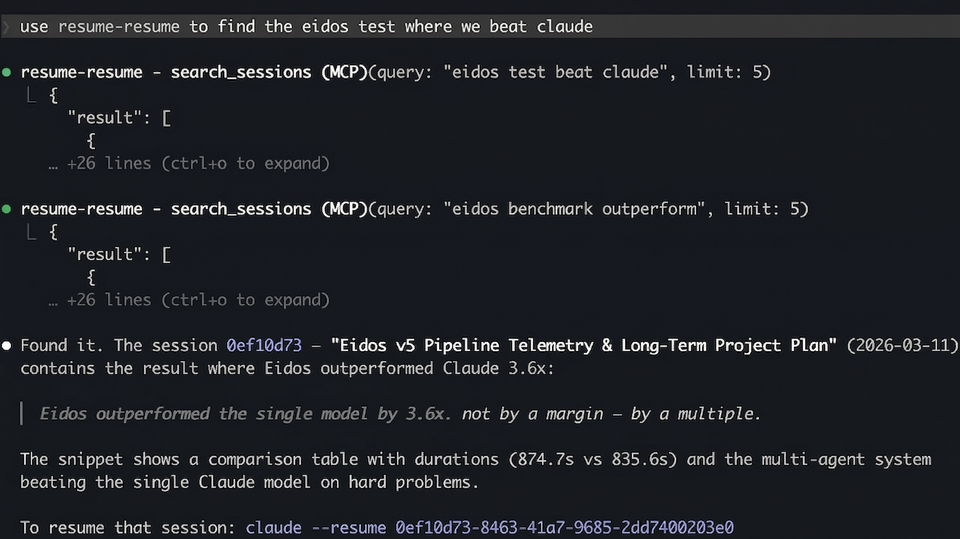
Searching for a past session in plain English
"use resume-resume to find the latest chats about eidos philosophy docs"
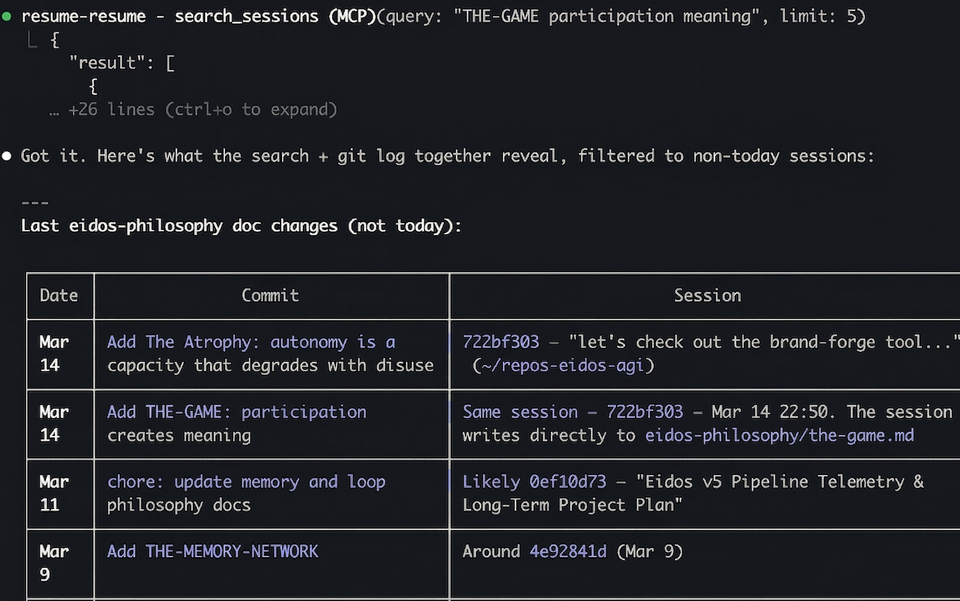
Merging multiple past sessions into this chat
"use claude resume to merge march 14th conversations and Eidos v5 Pipeline Telemetry convo from march 11th into this chat"
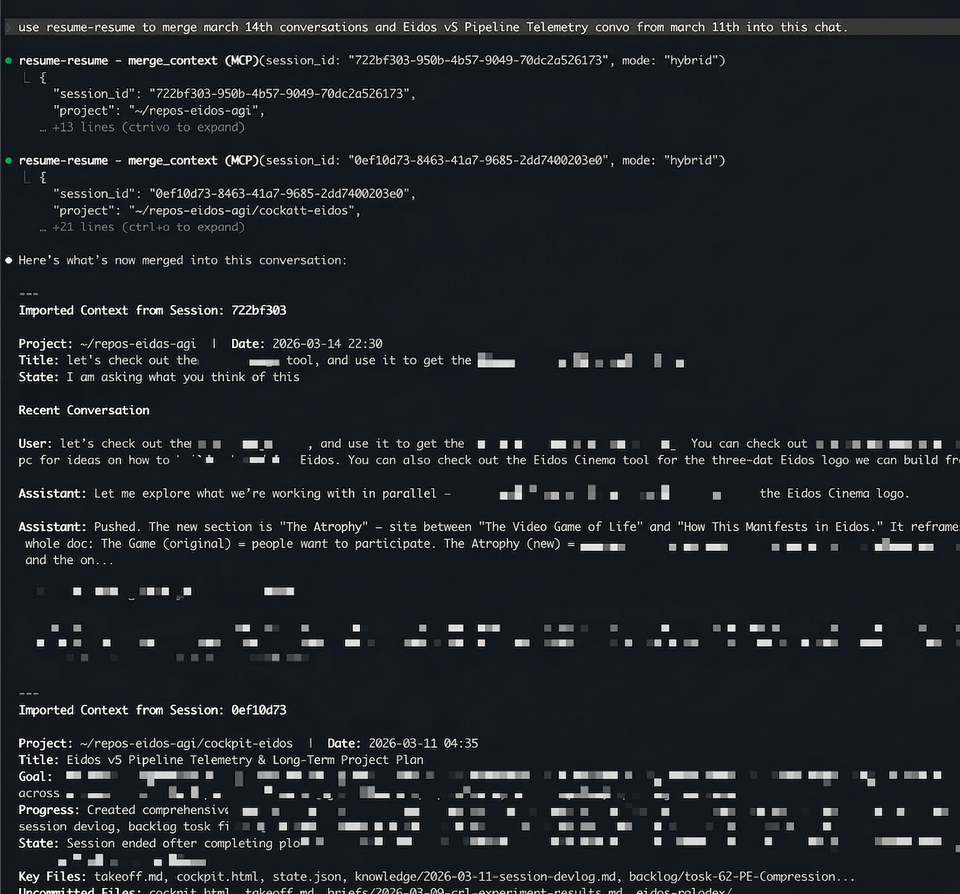
Two sessions — one about eidos-philosophy doc changes (Mar 14) and one with a full 28-task strategic plan (Mar 11) — merged into the current conversation with a single command.
MCP Tools
| Tool | What it does |
|---|---|
boot_up(hours) |
Crash recovery — finds interrupted sessions + scans all repos for dirty git state. Scores by urgency (session recency + dirty file count + dirty file recency). Includes ready-to-paste resume_cmd for each result. |
dirty_repos() |
Standing inventory of every repo with uncommitted changes. No time window — only shrinks by committing. Sorted by urgency score. |
search_sessions(query) |
Full-text search across 5,000+ sessions in ~3s, ranked by BM25 |
recent_sessions(hours) |
List recently active sessions |
read_session(id, keyword) |
Read actual messages from a session, with optional keyword filter |
session_summary(id) |
AI summary — cached instantly, generated in ~15s if not |
merge_context(id, mode) |
Import context from another session (summary, messages, or hybrid) |
session_timeline(id) |
Structured milestone timeline — file edits, commits, instructions |
session_thread(id) |
Follow continuation links across a multi-session thread |
resume_in_terminal(id) |
Open a session in a new terminal window (iTerm2 or Terminal.app) |
session_insights(section) |
Deep analytics across all sessions — patterns, personality, predictions |
session_xray(id) |
Single-session breakdown — duration, tokens, tool counts, branches |
How to Resume
Three ways, fastest first.
1. Paste box — just run cr
Run cr with no arguments and it shows a paste box before the session list. Paste anything and press Enter:
📋 Paste a resume command, session id, or chat text — or press Enter for the list:
›
| What you paste | What happens |
|---|---|
A resume command (cd … && claude --resume <id>) |
Extracts the id, resolves the cwd, launches |
| A bare session id | Same — finds the project, launches |
| Raw chat text — anything you copied off the screen of a dead session | Full-text-scans every session, finds the one that text came from, opens it |
| Nothing (just Enter) | Falls through to the normal session list |
The third one is the point: your session crashed, the terminal still shows the last thing on screen, you copy a chunk of it, run cr, paste. It finds the chat and reopens it — no id, no hunting.
2. Paste a command directly as an argument
claude --resume <id> fails if you're in the wrong directory. cr fixes that — auto-discovers the project, ensures the right flags, and launches.
cr claude --resume ddf7fc98-6c93-40c8-9444-503d8a716dbf
cr claude --resume ddf7fc98-6c93-40c8-9444-503d8a716dbf --model opus --chrome
cr ddf7fc98-6c93-40c8-9444-503d8a716dbf
It parses the id out of whatever you pasted, searches ~/.claude/projects/*/ for the owning project, resolves the encoded directory back to a real path, adds --dangerously-skip-permissions / --enable-auto-mode if missing, shows a proof dialog, then cds and execs into Claude. No more "No conversation found" from the wrong folder.
3. The TUI list
cr after a blank paste, or cr 24 / cr --all — see TUI below.
Paste-to-resume parses
claude --resumelines and Claude Code session text, so it's Claude Code only. Resuming a Codex session works through the MCPresume_in_terminaltool and the TUI/cards, which emitcodex resume <uuid>and cd to the session's recorded cwd.
How paste-to-find works
Finding the right chat from a messy paste isn't one trick — it's a small retrieval pipeline. The index makes it fast; the normalize + score + gate stages make it correct. FTS alone would only get candidates quickly.
| stage | technique | what it buys |
|---|---|---|
| Capture | bracketed-paste detection (ESC[200~), ANSI/control stripping, stdin burst-drain |
survives a real terminal paste — multi-line, wrapped, with escape codes |
| Route | regex extraction of a UUID / rollout- id vs free text |
a pasted command or id opens directly; chat text goes to search |
| Normalize | lowercase + reduce every non-alphanumeric run to one space (both paste and index) | tolerance — matches through **markdown**, em-dashes (—), smart/escaped quotes, and terminal line-wrapping |
| Retrieve | SQLite FTS5: a consecutive phrase from the paste, falling back to OR of the longest distinctive words | the fast candidate set — ms, not a full-corpus scan (the speed) |
| Score | in-order n-gram coverage: fraction of the paste's 5-word chunks present verbatim in a candidate | ranking + verification (the precision — and the 0% wrong-chat property) |
| Gate | threshold 0.25, calibrated from a 180-trial precision/recall sweep | open only on confidence; otherwise fall through to the list, never misfire |
| Exclude | drop the launching session via CLAUDE_CODE_SESSION_ID |
never reopen the chat you're sitting in |
| Maintain | mtime-delta incremental refresh + external-content FTS5 + sync triggers | first run builds; after that only changed sessions re-index, so queries stay ms |
The summary/BM25 index (search_sessions) holds only titles + summaries, so pasted transcript text isn't findable there — this is a separate full-text index over normalized session bodies.
Measured results (180-trial calibration + adversarial batch, driven through emux/tmux):
| Input | Result |
|---|---|
| Verbatim text from a past session | 100% found (35/35 clean snippets) |
| Realistic terminal paste (UI chrome, wrapping, a truncated first line) | 86% auto-open the right chat |
| Wrong chat opened | 0% — never; in-order matching can't false-positive |
| Decoys (shuffled vocab, unrelated text) | 0 false positives — scores max out at 0.00 |
| When unsure | Falls through to the list — safe by design, never a misfire |
Speed — indexed query (FTS lookup + coverage scoring): p50 6 ms at 166 MB, 94 ms at 3 GB. The first run builds the index (~10 s); after that, incremental refresh re-indexes only changed sessions, so queries stay in the millisecond range. A brute-force scan without an index is ~5.5 s/query and grows linearly with corpus size — the chart at the top is that gap.
TUI
For when your machine died and you just need to get back to work.
pip install resume-resume
resume-resume        # last 4 hours
cr 24                # last 24 hours
cr --all             # everything
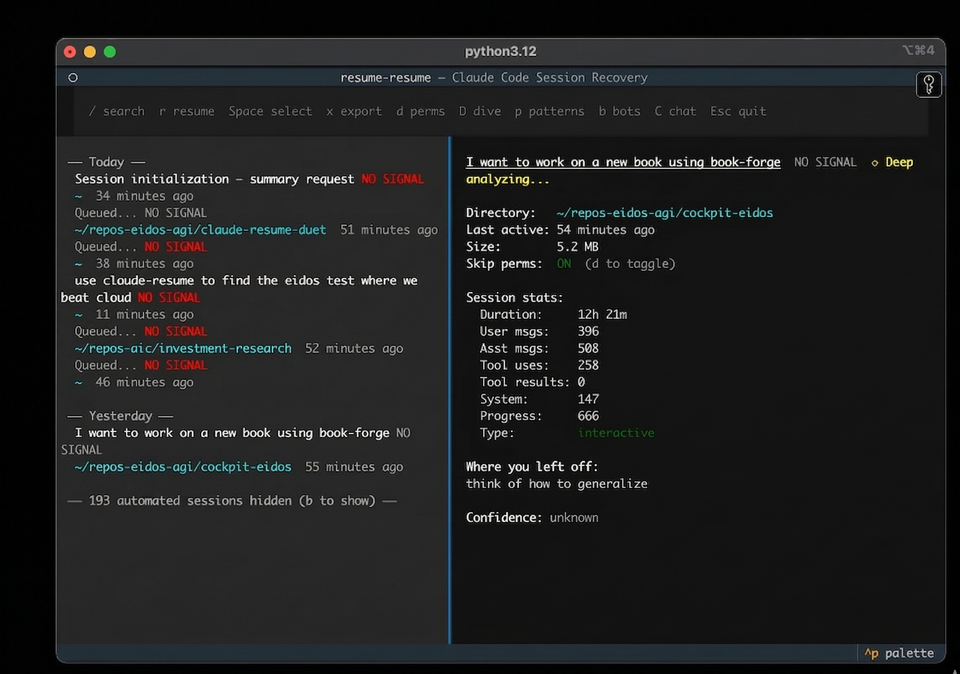
| Key | Action |
|---|---|
↑ ↓ |
Navigate sessions |
r |
Resume directly — exec into the session |
Enter |
Copy resume command to clipboard |
Space |
Select for multi-resume (opens all in iTerm tabs) |
x |
Export context briefing as markdown |
/ |
Search across all session content |
D |
Deep dive summary |
p |
Analyze prompting patterns |
b |
Toggle automated/bot sessions |
Requires Python 3.11+ and Claude Code.
How It Works
- Scans
~/.claude/projects/(Claude Code) and~/.codex/sessions/(Codex CLI) for JSONL session files - Scans all project directories for dirty git state (parallel
git status --porcelain) - Scores sessions by urgency: session recency (2h half-life) + repo dirty urgency (file count + dirty file recency)
- Dirty repos bypass age filters — uncommitted work doesn't age out
- Summarizes via
claude -pwith Haiku, cached permanently after first run - Classifies sessions as human or automated using a gradient boosting model trained on 3,800 sessions — bot sessions hidden by default
- Surfaces bookmark data (lifecycle badges, next actions, blockers) when present
- Reports negative space — how many repos were scanned, how many were clean vs dirty
Run /bookmark inside any Claude Code session to capture lifecycle state (done, paused, blocked, handoff) before closing. An auto-bookmark Stop hook captures minimal state when you don't.
Related
- claude-session-commons — Shared session parsing, caching, and classification used by this repo and others
- resume-resume-duet — Web UI companion with session browser and
resume-resume://URL scheme handler
License
MIT
Recommended Servers

playwright-mcp
A Model Context Protocol server that enables LLMs to interact with web pages through structured accessibility snapshots without requiring vision models or screenshots.

Magic Component Platform (MCP)
An AI-powered tool that generates modern UI components from natural language descriptions, integrating with popular IDEs to streamline UI development workflow.

Audiense Insights MCP Server
Enables interaction with Audiense Insights accounts via the Model Context Protocol, facilitating the extraction and analysis of marketing insights and audience data including demographics, behavior, and influencer engagement.

VeyraX MCP
Single MCP tool to connect all your favorite tools: Gmail, Calendar and 40 more.

graphlit-mcp-server
The Model Context Protocol (MCP) Server enables integration between MCP clients and the Graphlit service. Ingest anything from Slack to Gmail to podcast feeds, in addition to web crawling, into a Graphlit project - and then retrieve relevant contents from the MCP client.

Kagi MCP Server
An MCP server that integrates Kagi search capabilities with Claude AI, enabling Claude to perform real-time web searches when answering questions that require up-to-date information.

E2B
Using MCP to run code via e2b.

Neon Database
MCP server for interacting with Neon Management API and databases

Exa Search
A Model Context Protocol (MCP) server lets AI assistants like Claude use the Exa AI Search API for web searches. This setup allows AI models to get real-time web information in a safe and controlled way.

Qdrant Server
This repository is an example of how to create a MCP server for Qdrant, a vector search engine.