
Nutrient DWS MCP Server
A Model Context Protocol server that integrates with Nutrient Document Web Service, allowing AI assistants to perform advanced PDF operations including digital signing, document generation, editing, OCR, watermarking, and redaction.
README
Nutrient DWS MCP Server
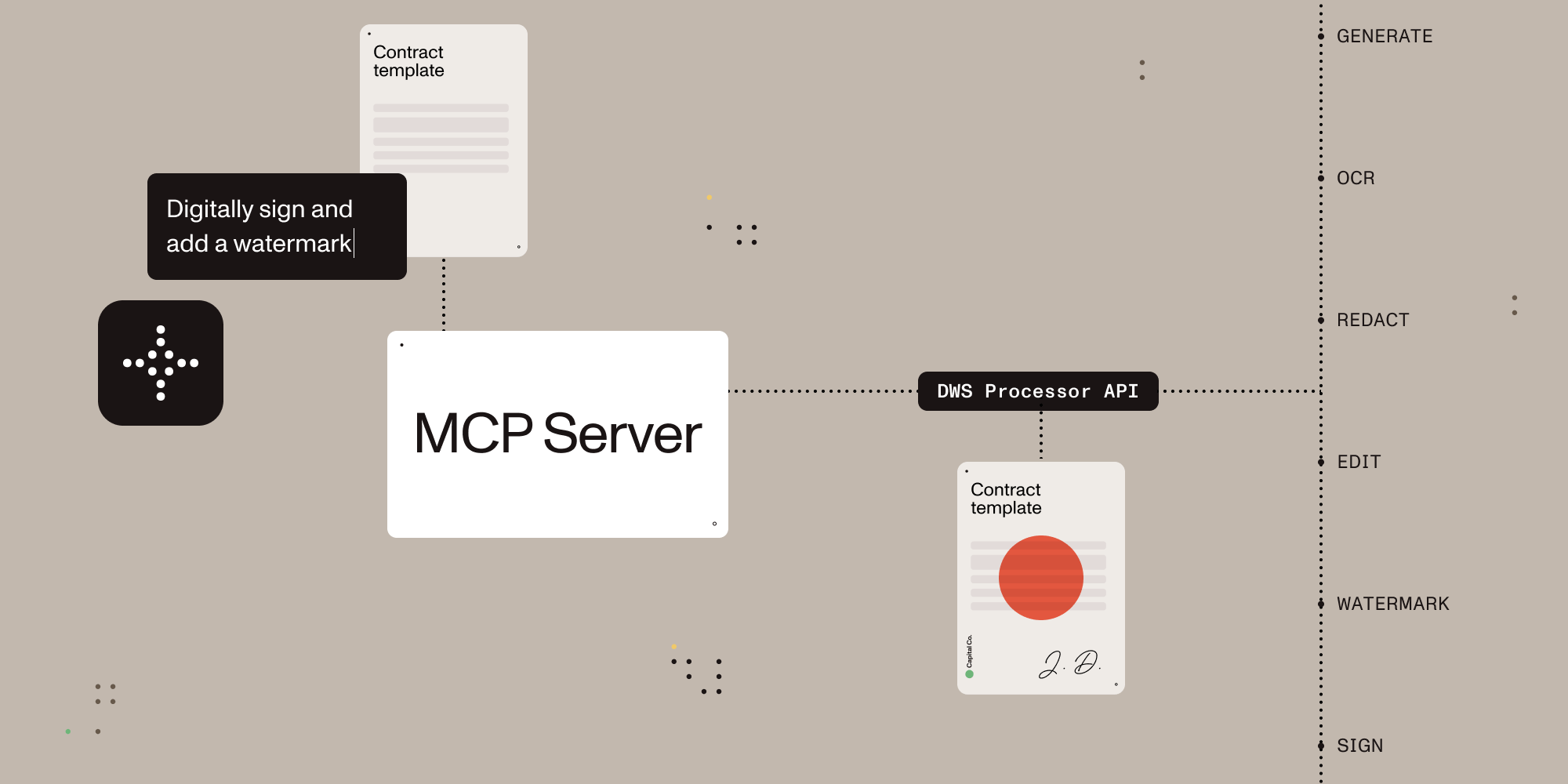

A Model Context Protocol (MCP) server implementation that integrates with the Nutrient Document Web Service (DWS) Processor API, providing powerful PDF processing capabilities for AI assistants.
This server allows AI assistants to access the tools provided by Nutrient DWS Processor API, enabling operations such as digital signing, document generation, document editing, OCR, watermarking, redaction, and more.
Table of Contents
Features overview
| Feature | Description |
|---|---|
| Document Creation | Merge PDFs, Office docs, and images |
| Editing | Watermark, rotate, flatten, redact, and more |
| Format Conversion | PDF ⇄ DOCX, images, PDF/A support |
| Digital Signing | Add PAdES standards-compliant digital signatures using trusted certificates |
| Data Extraction | Extract text, tables, or structured content |
| Security | Redaction presets, password protection, permission control |
| Advanced OCR | Multi-language, image and scan recognition |
| Optimization | Compress files without quality loss |
Usage
Getting Started with Claude Desktop + Nutrient DWS MCP Server
- Get a Nutrient DWS API key: Sign up at nutrient.io/api.
- Install Node.js:
- macOS users: Install Node.js with a package manager like brew on the command line. (
brew install node) - Windows users: Download the Node Installer by visiting Node.js Download Site and run the installer
- macOS users: Install Node.js with a package manager like brew on the command line. (
- Download Claude Desktop: If you haven’t already, download Claude Desktop and sign in.
- Create the
claude_desktop_config.json:- macOS users: Click on "Claude" next to the Apple icon on top of your mac screen. Go to Settings > Developer and click on Edit Config.
- Windows user: Click on the hamburger menu on the top left of the Claude Desktop window. Go to File > Settings > Developer and click on Edit Config.
- Configure Claude:: Add
nutrient-dwsto theclaude_desktop_config.json(example below). Make sure to add your API key and set the sandbox directory:- macOS users: The
claude_desktop_config.jsonis inside the directory~/Library/Application\ Support/Claude. - Windows users: The
claude_desktop_config.jsonis inside the directory%APPDATA%\Claude
- macOS users: The
NOTE: For the
--sandbox, you can put in the path in either the Unix-style (separated using forward slash/) or the Windows-style (separated using the backward slash/). And for the Windows path, you must escape the backward slash (i.e.\\instead of\)
{
  "mcpServers": {
    "nutrient-dws": {
      "command": "npx",
      "args": ["-y", "@nutrient-sdk/dws-mcp-server", "--sandbox", "/your/sandbox/directory"], // "C:\\your\\sandbox\\directory" for Windows
      "env": {
        "NUTRIENT_DWS_API_KEY": "YOUR_API_KEY_HERE"
      }
    }
  }
}
- Restart Claude Desktop.
On Windows you might need to go to the Task Manager and kill any processes named Claude to reset the application. On a macOS it will be the Activity Monitor
- Add documents for processing: Use any file manager to copy the documents into the sandbox directory set in the
claude_desktop_config.jsonfile above. - Process documents: Instruct Claude Sonnet 3.7 (e.g. “redact all PII from secret.pdf”, “sign the document contract.pdf”, “merge secret.pdf and contract.pdf together”, etc.).
Note: All operations involve reading from and writing to files on disk. We strongly recommend using the sandboxed directory feature to enhance security and prevent data loss.
Compatibility
Nutrient DWS MCP Server has been tested with Claude Desktop (Claude 3.7 Sonnet). Other MCP clients may work, but results may vary.
Nutrient DWS MCP Server supports macOS and Windows for now. Feel free to open an issue if you’re interested in Linux support.
Further configuration
Sandbox mode (Recommended)
The server supports an optional sandbox mode that restricts file operations to a specific directory. This is useful for security purposes, ensuring that the server can only read from and write to files within the specified directory. You should drop any documents you'd like to work on in this directory.
To enable sandbox mode, use the --sandbox (or -s) command line argument followed by the path to the directory:
npx @nutrient-sdk/dws-mcp-server --sandbox /path/to/sandbox/directory
When sandbox mode is enabled:
- For relative paths, they are resolved relative to the sandbox directory.
- All input file paths are validated to ensure they exist and reside in the sandbox before performing any file operations
If no sandbox directory is specified, the server will operate without file path restrictions, allowing access to any file on the system that the server process has permission to access. (Not Recommended)
Output location
Processed files will be saved to a location determined by the LLM. If sandbox mode is enabled, it will reside inside this directory.
To further guide the LLM on where to place the output file, use natural language such as "please output the result to output/my_result.pdf".
Or you may also add an output directory in your sandbox to hint to the LLM to use this directory for all resulting files.
Contributions
Please see the contribution guidelines in CONTRIBUTING.md
Recommended Servers

playwright-mcp
A Model Context Protocol server that enables LLMs to interact with web pages through structured accessibility snapshots without requiring vision models or screenshots.

Magic Component Platform (MCP)
An AI-powered tool that generates modern UI components from natural language descriptions, integrating with popular IDEs to streamline UI development workflow.

Audiense Insights MCP Server
Enables interaction with Audiense Insights accounts via the Model Context Protocol, facilitating the extraction and analysis of marketing insights and audience data including demographics, behavior, and influencer engagement.

VeyraX MCP
Single MCP tool to connect all your favorite tools: Gmail, Calendar and 40 more.

graphlit-mcp-server
The Model Context Protocol (MCP) Server enables integration between MCP clients and the Graphlit service. Ingest anything from Slack to Gmail to podcast feeds, in addition to web crawling, into a Graphlit project - and then retrieve relevant contents from the MCP client.

Kagi MCP Server
An MCP server that integrates Kagi search capabilities with Claude AI, enabling Claude to perform real-time web searches when answering questions that require up-to-date information.

Neon Database
MCP server for interacting with Neon Management API and databases

E2B
Using MCP to run code via e2b.

Exa Search
A Model Context Protocol (MCP) server lets AI assistants like Claude use the Exa AI Search API for web searches. This setup allows AI models to get real-time web information in a safe and controlled way.

Qdrant Server
This repository is an example of how to create a MCP server for Qdrant, a vector search engine.