
NASA MCP Server
A Model Context Protocol (MCP) server that provides access to NASA's Astronomy Picture of the Day (APOD) API.
README
NASA MCP Server
A Model Context Protocol (MCP) server that provides access to NASA's Astronomy Picture of the Day (APOD) API. This server exposes tools that can be used by AI assistants like Cursor to fetch NASA's daily space images.
Features
- NASA Picture of the Day: Fetch today's or any historical NASA Astronomy Picture of the Day
- Current Date: Get the current date in ISO format
- Easy Integration: Simple setup for Cursor and other MCP-compatible clients
Prerequisites
- Node.js (v18 or higher)
- npm or yarn
- A NASA API key (free at api.nasa.gov)
Installation
- Clone or navigate to this repository:
cd ts_mcp
- Install dependencies:
npm install
- Create a
.envfile in the root directory:
NASA_API_KEY=your_nasa_api_key_here
You can get a free NASA API key by visiting api.nasa.gov and generating one.
Building
Build the TypeScript project:
npm run build
Or use the MCP-specific build command:
npm run build:mcp
For development with watch mode:
npm run dev
Running the Server
Start the MCP server:
npm start
The server runs using stdio (standard input/output) communication, which is required for MCP protocol.
Integrating with Cursor
To use this MCP server with Cursor, you need to add it to your Cursor settings:
-
Open Cursor Settings:
- Press
Ctrl+,(Windows/Linux) orCmd+,(Mac) - Or go to
File > Preferences > Settings
- Press
-
Search for "MCP" or navigate to the MCP settings section
-
Add a new MCP server configuration. The configuration should look like this:
{
  "mcpServers": {
    "nasa-mcp-server": {
      "command": "node",
      "args": [
        "C:\\code\\MCP\\ts_mcp\\dist\\index.js"
      ],
      "env": {
        "NASA_API_KEY": "your_nasa_api_key_here"
      }
    }
  }
}
Important Notes:
- Replace
C:\\code\\MCP\\ts_mcp\\dist\\index.jswith the absolute path to your builtindex.jsfile - Make sure you've built the project first (
npm run build) - Replace
your_nasa_api_key_herewith your actual NASA API key - On Windows, use double backslashes (
\\) or forward slashes (/) in the path - On Mac/Linux, use forward slashes in the path
Alternative: Using npm script
You can also configure Cursor to run the server via npm:
{
  "mcpServers": {
    "nasa-mcp-server": {
      "command": "npm",
      "args": [
        "start"
      ],
      "cwd": "C:\\code\\MCP\\ts_mcp",
      "env": {
        "NASA_API_KEY": "your_nasa_api_key_here"
      }
    }
  }
}
Usage
Once integrated with Cursor, you can use the MCP tools in your conversations:
Get Today's NASA Picture
Get today's NASA picture of the day
Get a Specific Date's Picture
Get the NASA picture from 2026-01-31
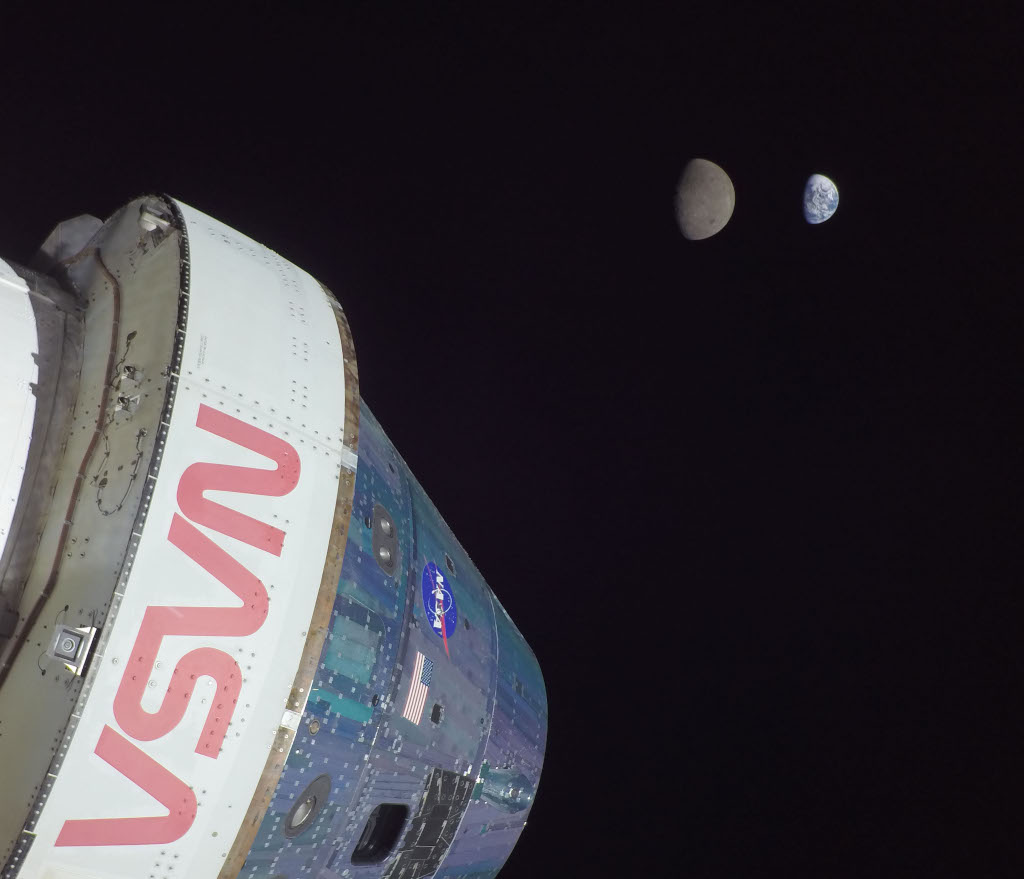
Example Result:
- Title: Artemis I: Flight Day 13
- URL: https://apod.nasa.gov/apod/image/2601/art001e000672-orig1024c.jpg
Get Current Date
What's today's date?
Available Tools
nasaPicOfDayTool
Fetches the NASA Astronomy Picture of the Day for a specific date or today.
Parameters:
date(optional): Date in YYYY-MM-DD format. If not provided, defaults to today.
Returns:
title: The title of the imagedate: The date of the imageurl: URL to the imageexplanation: Explanation of the image
getCurrentDate
Gets the current date in ISO format.
Returns:
- Current date as an ISO string
Project Structure
ts_mcp/
├── src/
│   ├── index.ts              # Main MCP server entry point
│   └── tools/
│       ├── nasaPicOfTheDay.ts # NASA APOD tool implementation
│       └── getCurrentDate.ts  # Current date tool implementation
├── dist/                      # Compiled JavaScript output
├── package.json
├── tsconfig.json
└── .env                       # Environment variables (not in git)
Development
Scripts
npm run build- Compile TypeScript to JavaScriptnpm run build:mcp- Build with tsup for MCP distributionnpm run dev- Watch mode for developmentnpm start- Run the compiled server
Dependencies
@mastra/mcp- MCP server framework@mastra/core- Core tooling utilitiesaxios- HTTP client for API requestszod- Schema validationdotenv- Environment variable management
Troubleshooting
Server won't start
- Make sure you've built the project:
npm run build - Verify your
.envfile exists and containsNASA_API_KEY - Check that Node.js is installed and in your PATH
Cursor can't find the server
- Verify the path in Cursor settings is correct and absolute
- Ensure the
dist/index.jsfile exists after building - Restart Cursor after changing MCP settings
- Check Cursor's developer console for error messages
API errors
- Verify your NASA API key is valid
- Check your internet connection
- Ensure the date format is YYYY-MM-DD if providing a date
License
ISC
Resources
Recommended Servers

playwright-mcp
A Model Context Protocol server that enables LLMs to interact with web pages through structured accessibility snapshots without requiring vision models or screenshots.

Magic Component Platform (MCP)
An AI-powered tool that generates modern UI components from natural language descriptions, integrating with popular IDEs to streamline UI development workflow.

Audiense Insights MCP Server
Enables interaction with Audiense Insights accounts via the Model Context Protocol, facilitating the extraction and analysis of marketing insights and audience data including demographics, behavior, and influencer engagement.

VeyraX MCP
Single MCP tool to connect all your favorite tools: Gmail, Calendar and 40 more.

graphlit-mcp-server
The Model Context Protocol (MCP) Server enables integration between MCP clients and the Graphlit service. Ingest anything from Slack to Gmail to podcast feeds, in addition to web crawling, into a Graphlit project - and then retrieve relevant contents from the MCP client.

Kagi MCP Server
An MCP server that integrates Kagi search capabilities with Claude AI, enabling Claude to perform real-time web searches when answering questions that require up-to-date information.

Neon Database
MCP server for interacting with Neon Management API and databases

E2B
Using MCP to run code via e2b.

Exa Search
A Model Context Protocol (MCP) server lets AI assistants like Claude use the Exa AI Search API for web searches. This setup allows AI models to get real-time web information in a safe and controlled way.

Qdrant Server
This repository is an example of how to create a MCP server for Qdrant, a vector search engine.