
Memory-Plus
A lightweight, local RAG memory store for MCP agents that enables recording, retrieval, updating, and visualization of persistent memories across runs.
README
<!-- Badges -->





Memory-Plus
A lightweight, local Retrieval-Augmented Generation (RAG) memory store for MCP agents. Memory-Plus lets your agent record, retrieve, update, and visualize persistent "memories"—notes, ideas, and session context—across runs.
🏆 First Place at the Infosys Cambridge AI Centre Hackathon!
Key Features
- Record Memories:Save user data, ideas, and important context.
- Retrieve Memories:Search by keywords or topics over past entries.
- Recent Memories:Fetch the last N items quickly.
- Update Memories:Append or modify existing entries seamlessly.
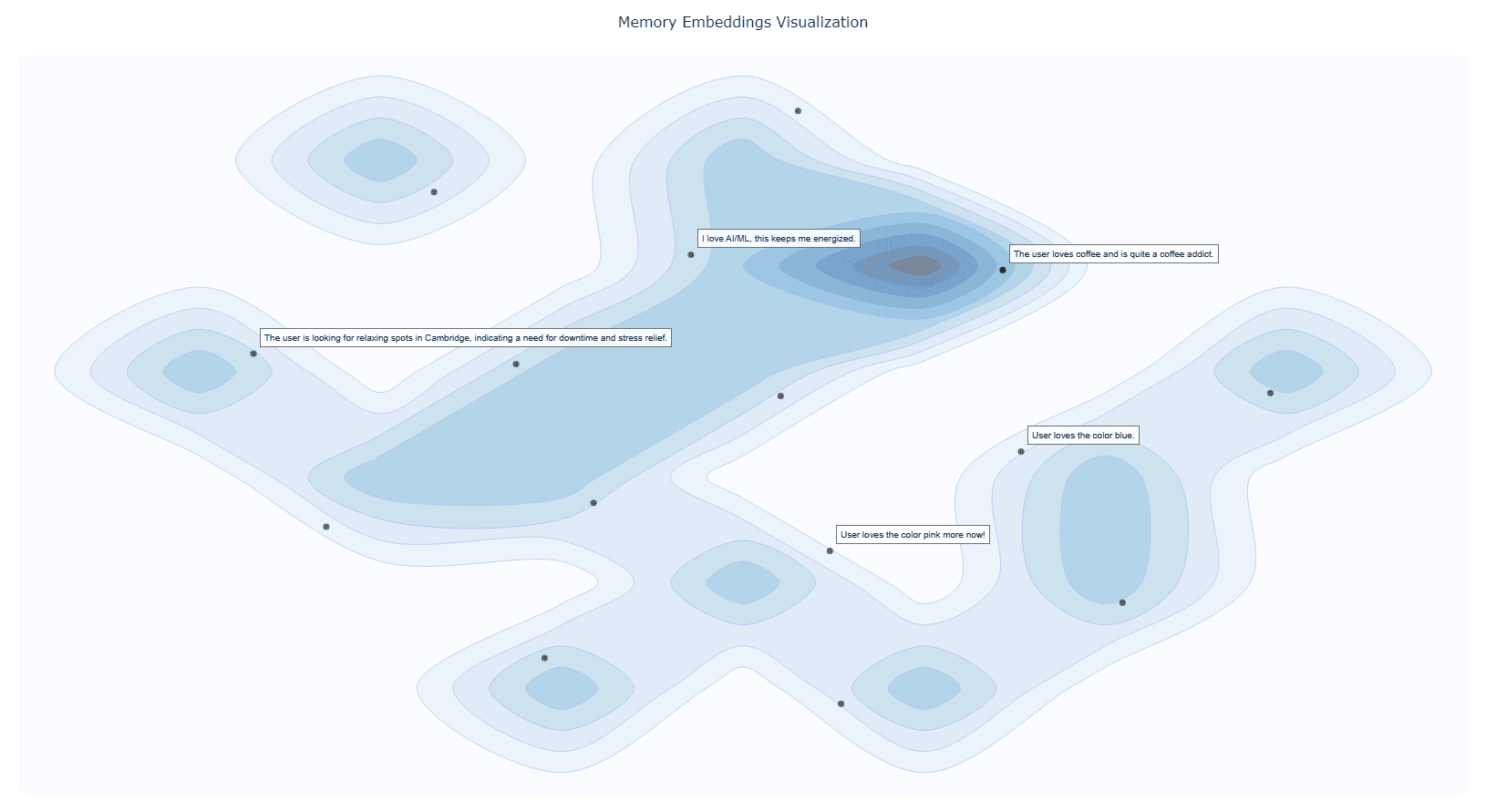
- Visualize Memories:Interactive graph clusters revealing relationships.
- File Import (since v0.1.2):Ingest documents directly into memory.
- Delete Memories (since v0.1.2):Remove unwanted entries.
- Memory for Memories (since v0.1.4):Now we use
resourcesto teach your AI exactly when (and when not) to recall past interactions. - Memory Versioning (since v0.1.4):When memories are updated, we keep the old versions to provide a full history.
Installation
1. Prerequisites
Google API Key
Obtain from Google AI Studio and set as GOOGLE_API_KEY in your environment.
Note that we will only use the
Gemini Embedding APIwith this API key, so it is Entirely Free for you to use! <details> <summary><b>Setup Google API Key Example</b></summary>
# macOS/Linux
export GOOGLE_API_KEY="<YOUR_API_KEY>"

# Windows (PowerShell)
setx GOOGLE_API_KEY "<YOUR_API_KEY>"
</details>
UV Runtime Required to serve the MCP plugin. <details> <summary><b>Install UV Runtime</b></summary>
pip install uv
Or install via shell scripts:
# macOS/Linux
curl -LsSf https://astral.sh/uv/install.sh | sh

# Windows (PowerShell)
powershell -ExecutionPolicy ByPass -c "irm https://astral.sh/uv/install.ps1 | iex"
</details>
VS Code One-Click Setup
Click the badge below to automatically install and configure Memory-Plus in VS Code:

This will add the following to your settings.json:
  {
    "mcpServers": {
      //...,  your other MCP servers
      "memory-plus": {
        "command": "uvx",
        "args": [
          "-q",
          "memory-plus@latest"
        ],
      }
    }
  }
For cursor, go to file -> Preferences -> Cursor Settings -> MCP and add the above config.
If you didn't add the GOOGLE_API_KEY to your secrets / environment variables, you can add it with:
"env": {
        "GOOGLE_API_KEY": "<YOUR_API_KEY>"
      }
just after the args array with in the memory-plus dictionary.
For Cline add the following to your cline_mcp_settings.json:
{
  "mcpServers": {
    //...,  your other MCP servers
    "memory-plus": {
      "disabled": false,
      "timeout": 300,
      "command": "uvx",
      "args": [
        "-q",
        "memory-plus@latest"
      ],
      "env": {
        "GOOGLE_API_KEY": "${{ secrets.GOOGLE_API_KEY }}"
      },
      "transportType": "stdio"
    }
  }
}
For other IDEs it should be mostly similar to the above.
Local Testing and Development
Using MCP Inspector, you can test the memory-plus server locally.
git clone https://github.com/Yuchen20/Memory-Plus.git
cd Memory-Plus
npx @modelcontextprotocol/inspector fastmcp run run .\\memory_plus\\mcp.py
Or If you prefer using this MCP in an actual Chat Session. There is a template chatbot in agent.py.
# Clone the repository
git clone https://github.com/Yuchen20/Memory-Plus.git
cd Memory-Plus

# Install dependencies
pip install uv
uv pip install fast-agent-mcp
uv run fast-agent setup
setup the fastagent.config.yaml and fastagent.secrets.yaml with your own API keys.
# Run the agent
uv run agent_memory.py
RoadMap
- [x] Memory Update
- [x] Improved prompt engineering for memory recording
- [x] Better Visualization of Memory Graph
- [x] File Import
- [ ] Remote backup!
- [ ] Web UI for Memory Management
If you have any feature requests, please feel free to add them by adding a new issue or by adding a new entry in the Feature Request
License
This project is licensed under the Apache License 2.0. See LICENSE for details.
FAQ
1. Why is memory-plus not working?
- Memory-plus has a few dependencies that can be slow to download the first time. It typically takes around 1 minute to fetch everything needed.
- Once dependencies are installed, subsequent usage will be much faster.
- If you experience other issues, please feel free to open a new issue on the repository.
2. How do I use memory-plus in a real chat session?
- Simply add the MCP JSON file to your MCP setup.
- Once added, memory-plus will automatically activate when needed.
Recommended Servers

playwright-mcp
A Model Context Protocol server that enables LLMs to interact with web pages through structured accessibility snapshots without requiring vision models or screenshots.

Magic Component Platform (MCP)
An AI-powered tool that generates modern UI components from natural language descriptions, integrating with popular IDEs to streamline UI development workflow.

Audiense Insights MCP Server
Enables interaction with Audiense Insights accounts via the Model Context Protocol, facilitating the extraction and analysis of marketing insights and audience data including demographics, behavior, and influencer engagement.

VeyraX MCP
Single MCP tool to connect all your favorite tools: Gmail, Calendar and 40 more.

graphlit-mcp-server
The Model Context Protocol (MCP) Server enables integration between MCP clients and the Graphlit service. Ingest anything from Slack to Gmail to podcast feeds, in addition to web crawling, into a Graphlit project - and then retrieve relevant contents from the MCP client.

Kagi MCP Server
An MCP server that integrates Kagi search capabilities with Claude AI, enabling Claude to perform real-time web searches when answering questions that require up-to-date information.

Neon Database
MCP server for interacting with Neon Management API and databases

E2B
Using MCP to run code via e2b.

Exa Search
A Model Context Protocol (MCP) server lets AI assistants like Claude use the Exa AI Search API for web searches. This setup allows AI models to get real-time web information in a safe and controlled way.

Qdrant Server
This repository is an example of how to create a MCP server for Qdrant, a vector search engine.