
MCP2OSC
Enables natural language control of OSC (OpenSoundControl) messages, allowing users to generate, interpret, validate, and debug OSC messages through an LLM interface for parametric control of multimedia devices.
README
<div align="center"> <h1>MCP2OSC</h1> <h3>Parametric Control by Natural Language</h3>
Yuan-Yi Fan<sup>1</sup>
<sup>1</sup> Independent Researcher
</div>
<br>
<br>


Updates
- 2025/11/14: OpenReview version is now available.
- 2025/08/14: arXiv version is now public.
Abstract
Text prompts enable intuitive content creation but may fall short in achieving high precision for intricate tasks; knob or slider controls offer precise adjustments at the cost of increased complexity. To address the gap between knobs and prompts, a new MCP (Model Context Protocol) server and a unique set of prompt design criteria are presented to enable exploring parametric OSC (OpenSoundControl) control by natural language prompts. Demonstrated by 15 practical QA examples with best practices and the generalized prompt templates, this study finds Claude integrated with the MCP2OSC server effective in generating OSC messages by natural language, interpreting, searching, and visualizing OSC messages, validating and debugging OSC messages, and managing OSC address patterns. MCP2OSC enhances human-machine collaboration by harnessing a LLM (Large Language Model) to handle intricate OSC development tasks. It empowers human creativity with an intuitive language interface featuring flexible precision controls: a promptbased OSC tool. This study provides a novel perspective on the creative MCP application at the network protocol level by utilizing LLM’s strength in directly processing and generating human-readable OSC messages. The results suggest its potential for a LLM-based universal control mechanism for multimedia devices.
Demo video
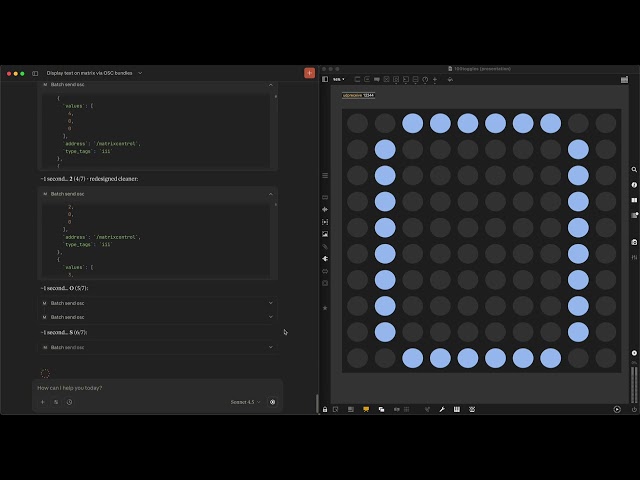
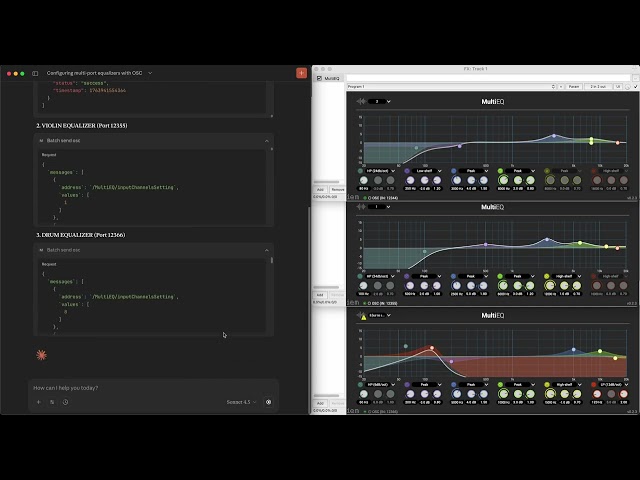
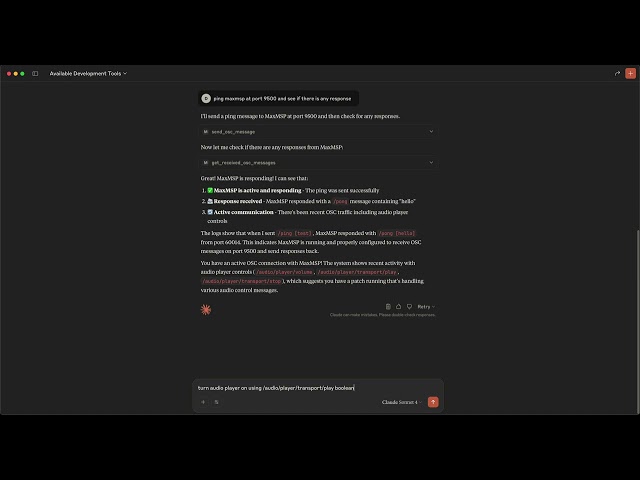
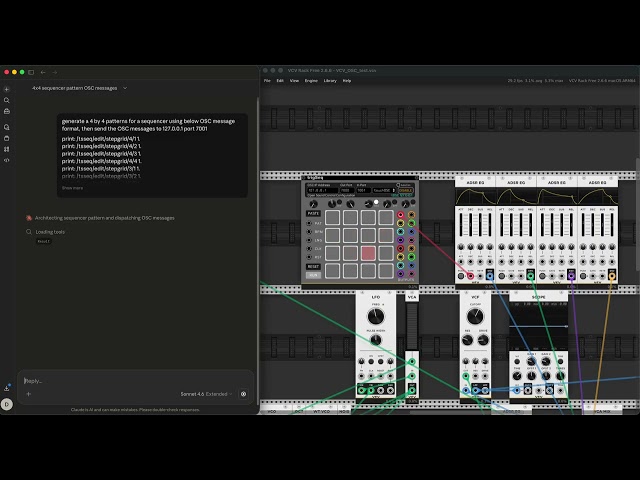
Installation
-
Clone the repository
git clone https://github.com/yyf/MCP2OSC.git cd MCP2OSC -
Install dependencies
npm install -
Configure your LLM application Add to your Claude Desktop MCP configuration file — for example:
- macOS:
~/Library/Application Support/Claude/claude_desktop_config.json
Use the absolute path to
mcp-server.json your machine.{ "mcpServers": { "mcp2osc": { "command": "node", "args": ["/Users/.../MCP2OSC/mcp-server.js"], "cwd": "/Users/.../MCP2OSC", "env": { "OSC_HOST": "127.0.0.1", "OSC_SEND_PORT": "9500", "OSC_RECEIVE_PORT": "9501", "WEBSOCKET_PORT": "8765", "WEBSOCKET_OSC_PORT": "9500", "MAX_OSC_MESSAGES": "2000", "OSC_LOG_ROTATION": "true" } } } } - macOS:
-
Start the LLM application, i.e. Claude desktop application
- Claude desktop application can be downloaded here: https://claude.ai/download
- Restart Claude if you make any change to the claude config json file
- Open the example MaxMSP or PureData patch and try the example prompts in Claude
- Example prompts
- "What MCP tools are available"
- "Ping MaxMSP at port 9500 then check if there is any response"
- "Check received OSC messages"
- Optional: start MCP + dashboard
npm start - Creative application examples
- The examples folder include MaxMSP, PureData, and SuperCollider patches
Citation
@inproceedings{
fan2025mcposc,
title={{MCP}2{OSC}: Parametric Control by Natural Language},
author={Yuan-Yi Fan},
booktitle={The Thirty-ninth Annual Conference on Neural Information Processing Systems Creative AI Track: Humanity},
year={2025},
url={https://openreview.net/forum?id=XLdFf7Zarw}
}
❤️ Made with MCP2OSC 🎛️ - a selection of projects exploring the possibilities of MCP2OSC
| Project | Author | Description |
|---|---|---|
| coralline | olivelogs | Coralline gives Claude the ability to make music in real-time with SuperCollider, effectively translating dialogue into music. |
Recommended Servers

playwright-mcp
A Model Context Protocol server that enables LLMs to interact with web pages through structured accessibility snapshots without requiring vision models or screenshots.

Magic Component Platform (MCP)
An AI-powered tool that generates modern UI components from natural language descriptions, integrating with popular IDEs to streamline UI development workflow.

Audiense Insights MCP Server
Enables interaction with Audiense Insights accounts via the Model Context Protocol, facilitating the extraction and analysis of marketing insights and audience data including demographics, behavior, and influencer engagement.

VeyraX MCP
Single MCP tool to connect all your favorite tools: Gmail, Calendar and 40 more.

graphlit-mcp-server
The Model Context Protocol (MCP) Server enables integration between MCP clients and the Graphlit service. Ingest anything from Slack to Gmail to podcast feeds, in addition to web crawling, into a Graphlit project - and then retrieve relevant contents from the MCP client.

Kagi MCP Server
An MCP server that integrates Kagi search capabilities with Claude AI, enabling Claude to perform real-time web searches when answering questions that require up-to-date information.

E2B
Using MCP to run code via e2b.

Neon Database
MCP server for interacting with Neon Management API and databases

Exa Search
A Model Context Protocol (MCP) server lets AI assistants like Claude use the Exa AI Search API for web searches. This setup allows AI models to get real-time web information in a safe and controlled way.

Qdrant Server
This repository is an example of how to create a MCP server for Qdrant, a vector search engine.