
mcp-manimgl
Exposes manimgl mathematical animation functionality as MCP tools, enabling LLMs to create animated scenes with narration and background music, and render to video.
README
mcp-manimgl — MCP server exposing manimgl (Manim OpenGL) mathematical animation functionality as tools for LLMs.



mcp-name: io.github.daedalus/mcp-manimgl
Install
pip install mcp-manimgl
Optional extras:
# For rendering (requires manimgl + system deps)
pip install "mcp-manimgl[render]"

# For audio narration + MIDI music support
pip install "mcp-manimgl[audio]"
System Dependencies
| Dependency | Required for | Install |
|---|---|---|
ffmpeg + ffprobe |
Audio mixing, narration sync, music ducking | apt install ffmpeg |
libfluidsynth3 |
MIDI file rendering to audio | apt install libfluidsynth3 |
SoundFont (.sf2/.sf3) |
MIDI instrument sounds | apt install fluidr3mono-gm-soundfont |
| pangocairo, OpenGL | Manim rendering engine | See manimgl docs |
The server checks for non-Python dependencies at startup and reports any missing ones to stderr and via the mcp-manimgl://info resource.
Usage
MCP Server
# Run with stdio transport (default for MCP)
mcp-manimgl
In Claude Desktop / Cursor / MCP clients
Add to your mcp.json:
{
  "mcpServers": {
    "mcp-manimgl": {
      "command": "mcp-manimgl"
    }
  }
}
Tools
The server exposes these tool categories:
Scene Management
create_scene— Create/configure a new sceneclear_scene— Remove all elementsadd_wait— Add wait/pauseset_camera— Configure cameraset_config— Set global rendering configsave_state/restore_state— State managementgenerate_scene_script— Get the generated Python script
Mobject Creation
add_circle,add_square,add_rectangle,add_polygonadd_line,add_arrow,add_dotadd_text,add_tex(LaTeX)add_function_graph,add_parametric_curveadd_coordinate_system,add_vectoradd_labeled_point,add_brace,add_number_lineadd_decimal_number,add_matrixadd_3d_object(sphere, cube, torus, cone, cylinder)
Mobject Manipulation
move_to,shift,scale,rotateset_color,set_opacitynext_to,align_to
Animations
animate_transform,animate_fade_in/out,animate_growanimate_rotate,animate_scale,animate_shiftanimate_indicate,animate_write,animate_set_coloranimate_move_along_path,animate_group
Audio
add_narration— Generate TTS (gTTS) narration that plays at the current timeline positionadd_background_music— Add background music from audio files or MIDI files (auto-rendered via FluidSynth). Supports volume control, looping, and sidechain ducking during narration.
Rendering
render_scene— Render to video (auto-mixes background music + narration with ducking)save_frame— Save single frameget_render_status— Check environment
Audio Features
Narration
# TTS narration at current timeline position
add_narration("Shor's algorithm factors large numbers in polynomial time.")
Background Music
Accepts audio files (.mp3, .wav, .ogg) or MIDI files (.mid, .midi). MIDI files are rendered to audio using FluidSynth and the system SoundFont.
# From an audio file
add_background_music("/path/to/music.mp3", volume=0.3, loop=True)

# From a MIDI file (auto-rendered)
add_background_music("/path/to/classical.mid", volume=0.2)

# With ducking configuration
add_background_music(
    "bach_chorale.mid",
    volume=0.25,
    loop=True,
    duck_threshold="-20dB",
    duck_ratio=6,
    duck_attack=0.05,
    duck_release=0.3,
)
When both background music and narration are present, render_scene automatically:
- Renders the video without audio via manimgl
- Places the music track (looped if needed) at the configured volume
- Places each narration track at its timeline position
- Applies sidechain compression so music volume ducks during narration
- Composites everything into the final MP4 via ffmpeg
Example: Shor's Algorithm
A narrated animation explaining Shor's algorithm with LaTeX, 5 TTS narration tracks, and classical MIDI background music.
Watch:
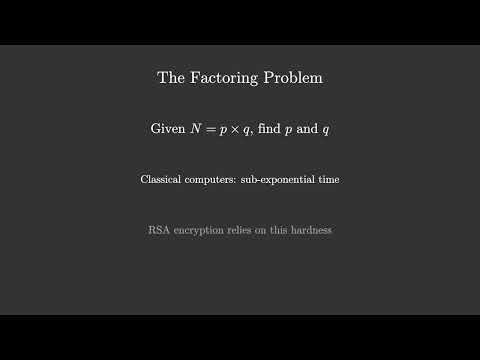
MCP tool call sequence:
# 1. Configure scene
create_scene(background_color="#0a0a2e", resolution="1920x1080", fps=30)

# 2. Background music (auto-loops to fill video duration)
add_background_music("classical.mid", volume=0.25, loop=True)

# 3. Create mobjects + animate (5 sections)
add_tex("Shor's Algorithm", font_size=72, color="#FFD700")
add_tex("Integer Factorization on Quantum Computers", font_size=36, color="#88CCFF")
animate_fade_in("m_...", run_time=1.5)
# ... more shapes, LaTeX formulas, fade-ins, fade-outs ...

# 4. Narration at specific timeline positions
add_narration("Shor's algorithm factors large numbers...")   # ~3.5s
add_narration("The factoring problem...")                     # ~18.5s
add_narration("Key insight: reduce factoring to period...")   # ~36.1s
add_narration("Quantum period finding uses superposition...") # ~55.4s
add_narration("Summary of Shor's algorithm...")               # ~76.3s

# 5. Render (auto-mixes video + narrations + ducked BGM)
render_scene(output_path="data/Shors_Algorithm.mp4")
See the full scene script at shor_mcp.py in the repository root.
MIDI Rendering
MIDI files are rendered using pyfluidsynth with a system SoundFont. On Debian/Ubuntu:
sudo apt install fluidr3mono-gm-soundfont libfluidsynth3
pip install "mcp-manimgl[audio]"
Auto-discovered SoundFont paths:
/usr/share/sounds/sf3/(.sf3)/usr/share/sounds/sf2/(.sf2)/usr/share/fluidr3mono-gm-soundfont/
Development
git clone https://github.com/dclavijo/mcp-manimgl.git
cd mcp-manimgl
pip install -e ".[test]"

# run tests
pytest

# format
ruff format src/ tests/

# lint + type check
prospector --with-tool ruff --with-tool mypy src/

# security scan
semgrep --config=auto --severity=ERROR src/

# find unused code
vulture --min-confidence 90 src/
MCP
mcp-name: io.github.dclavijo/mcp-manimgl
Recommended Servers

playwright-mcp
A Model Context Protocol server that enables LLMs to interact with web pages through structured accessibility snapshots without requiring vision models or screenshots.

Magic Component Platform (MCP)
An AI-powered tool that generates modern UI components from natural language descriptions, integrating with popular IDEs to streamline UI development workflow.

Audiense Insights MCP Server
Enables interaction with Audiense Insights accounts via the Model Context Protocol, facilitating the extraction and analysis of marketing insights and audience data including demographics, behavior, and influencer engagement.

VeyraX MCP
Single MCP tool to connect all your favorite tools: Gmail, Calendar and 40 more.

graphlit-mcp-server
The Model Context Protocol (MCP) Server enables integration between MCP clients and the Graphlit service. Ingest anything from Slack to Gmail to podcast feeds, in addition to web crawling, into a Graphlit project - and then retrieve relevant contents from the MCP client.

Kagi MCP Server
An MCP server that integrates Kagi search capabilities with Claude AI, enabling Claude to perform real-time web searches when answering questions that require up-to-date information.

E2B
Using MCP to run code via e2b.

Neon Database
MCP server for interacting with Neon Management API and databases

Exa Search
A Model Context Protocol (MCP) server lets AI assistants like Claude use the Exa AI Search API for web searches. This setup allows AI models to get real-time web information in a safe and controlled way.

Qdrant Server
This repository is an example of how to create a MCP server for Qdrant, a vector search engine.