
Lessons Learned MCP Server
Central MCP server for storing and querying lessons learned and project-specific implementation details, compatible with MCP-capable AI clients like Cursor, Claude Code, and Google Antigravity.
README
Lessons Learned MCP Server
Central MCP server for storing and querying lessons learned and project-specific implementation details. A Laravel application that exposes two MCP endpoints for any MCP-capable AI client — Cursor, Claude Code, Google Antigravity, and others.
Explainer Video
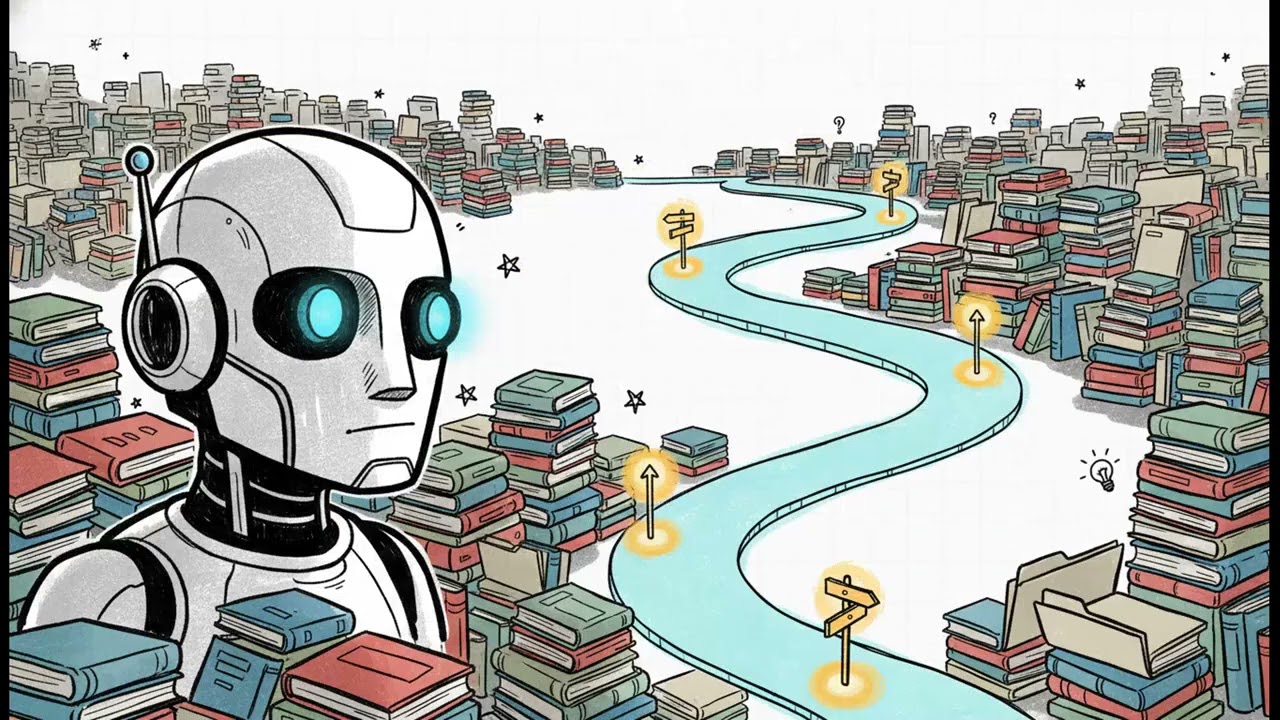
Watch the explainer on YouTube.
Use with ashwinmram/mcp-pusher
This server works with the ashwinmram/mcp-pusher package to push lessons and project details from your Laravel projects via HTTP API.
- Install:
composer require ashwinmram/mcp-pusher:^3.0 - Links: GitHub | Packagist
- Best practice: Copy the knowledge capture prompt into your agent; agent gathers git context, synthesizes lessons, runs
mcp:append→ drafts.mcp:pushonce at session end. Optional Cursor preCompact hook surfaces the same prompt automatically.
The mcp-pusher package pushes session drafts from docs/.mcp-session/*.jsonl to /api/lessons (generic) and /api/project-details (project-specific) in one mcp:push. See Pushing knowledge (mcp-pusher 3.0) and packages/laravel-mcp-pusher/README.md.
Key Features
- Lessons Learned MCP (
/mcp/lessons) — Search, browse, and retrieve lessons with relevance scoring - Project Details MCP (
/mcp/project-details?project=…) — Project-specific implementation details (paths, env, conventions) - Tools: SearchLessons, GetLessonByCategory, GetLessonTags, FindRelatedLessons, MarkLessonHelpful, SuggestSearchQueries, GetTopLessons, GetCategoryStatistics
- Resources:
lessons://overview,lessons://search-guide - Prompts: LessonsLearnedOverview, LessonsByCategory
Dashboard
Authenticated users can view live stats at /dashboard. Each card shows a current value, a baseline, and a variance badge.
Two comparison patterns are used, both anchored on 30 days:
| Metric | Current value | Baseline (gray text) | Badge change |
|---|---|---|---|
| Total Lessons, Total Project Details, Source Projects, per-source-project cards | Cumulative count now | Same count at 30 days ago | Percent change |
| Retrievals, Details Added | Count in last 30 days | Count in prior 30 days (days 30–60 ago) | Percent change |
| Helpfulness Rate | Rate in last 30 days | Rate in prior 30 days | Percentage-point change (e.g. 60% vs 50% = +10.0 points) |
See in-app Documentation for the same details.
Prerequisites
- PHP 8.2+, Laravel 12
- MySQL or SQLite
- Laravel Herd (recommended) or equivalent local dev setup
- An MCP-capable AI client (Cursor, Claude Code, Google Antigravity, or other)
Initial Setup
1. Clone and Install
composer install
cp .env.example .env
php artisan key:generate
php artisan migrate
2. Configure Environment Variables
Add the following to your .env file:
# MCP server (HTTP base URL for MCP clients and API pushes)
APP_URL=https://mcp-server.test
MCP_SERVER_NAME="Lessons Learned MCP Server"

# MCP client (for pushing from this project via mcp-pusher)
MCP_SERVER_URL=https://mcp-server.test
MCP_API_TOKEN=  # Generated in step 3
3. Generate API Token
Generate a Sanctum API token for MCP authentication:
php artisan mcp:generate-token --name="mcp-client-token"
This command creates a user if none exists, generates a Sanctum token, and displays it. Copy the token (shown only once) and add it to .env:
MCP_API_TOKEN=your-token-here
Use the same token in your MCP client Authorization: Bearer … header.
4. Verify Setup
Ensure your site is accessible. With Laravel Herd:
curl https://mcp-server.test
If needed, link the project to Herd:
herd link mcp-server
Test the MCP endpoint:
curl -H "Authorization: Bearer YOUR_TOKEN_HERE" \
     https://mcp-server.test/mcp/lessons
Configuring your AI client
All clients need:
- Lessons URL:
https://mcp-server.test/mcp/lessons - Project details URL (optional):
https://mcp-server.test/mcp/project-details?project=<source>—projectmust matchphp artisan mcp:push --source=… - Header:
Authorization: Bearer YOUR_SANCTUM_TOKEN
Example config files (copy and edit): cursor, claude, antigravity. Root mcp.json.example is a minimal Cursor-oriented sample.
Cursor
Settings UI
- Open Cursor Settings:
⇧+⌘+J(Mac) orCtrl+Shift+J(Windows/Linux) - Features → MCP → Add MCP Server
- Configure:
- Name:
lessons-learned-local(or any name) - Transport:
SSE - URL:
https://mcp-server.test/mcp/lessons - Headers:
{"Authorization": "Bearer YOUR_SANCTUM_TOKEN_HERE"}
- Name:
- Save and restart Cursor
Project mcp.json
{
    "mcpServers": {
        "lessons-learned-local": {
            "transport": "sse",
            "url": "https://mcp-server.test/mcp/lessons",
            "headers": {
                "Authorization": "Bearer YOUR_SANCTUM_TOKEN_HERE"
            }
        }
    }
}
- Global:
~/.cursor/mcp.jsonor Settings UI — all projects - Project:
mcp.jsonin project root — this project only (gitignore tokens)
Verify: Settings → MCP → server Connected. Ask: "What lessons do we have about testing Laravel packages?"
Claude Code
Prefer HTTP transport (Laravel Mcp::web uses HTTP). Use SSE only if HTTP fails.
CLI
claude mcp add --transport http lessons-learned \
  https://mcp-server.test/mcp/lessons \
  --header "Authorization: Bearer YOUR_TOKEN"

claude mcp add --transport http project-details-my-app \
  "https://mcp-server.test/mcp/project-details?project=my-app" \
  --header "Authorization: Bearer YOUR_TOKEN"
Project .mcp.json
{
    "mcpServers": {
        "lessons-learned": {
            "type": "http",
            "url": "https://mcp-server.test/mcp/lessons",
            "headers": {
                "Authorization": "Bearer YOUR_TOKEN"
            }
        }
    }
}
Scopes: local (default, ~/.claude.json), project (.mcp.json in repo), or user. See Claude Code MCP docs.
Verify: claude mcp list — servers show connected; start a session and query lessons.
Google Antigravity
Shared config: ~/.gemini/config/mcp_config.json (Antigravity IDE and CLI share this path per Google codelabs).
{
    "mcpServers": {
        "lessons-learned": {
            "serverUrl": "https://mcp-server.test/mcp/lessons",
            "headers": {
                "Authorization": "Bearer YOUR_TOKEN"
            }
        },
        "project-details-my-app": {
            "serverUrl": "https://mcp-server.test/mcp/project-details?project=my-app",
            "headers": {
                "Authorization": "Bearer YOUR_TOKEN"
            }
        }
    }
}
UI: Agent panel → ... → MCP Servers → refresh; add or verify servers.
Verify: MCP server shows connected; ask the agent about available lessons.
Agent startup instructions
Install agent instructions for your AI client:
| Client | Command |
|---|---|
| Cursor | php artisan mcp:install-cursor-rules |
| Claude Code | php artisan mcp:install-claude-instructions |
| Google Antigravity | php artisan mcp:install-antigravity-skills |
| All | php artisan mcp:install-agent-instructions |
See agent-instructions README for flags and manual paths.
# Example: full setup for Cursor + Claude + Antigravity (workspace skills)
php artisan mcp:install-agent-instructions --with-hooks --with-claude-md --with-cursorrules
This monorepo uses a short .cursorrules index; consumer projects should use the install commands above or copy stubs from packages/laravel-mcp-pusher/stubs/.
How sessions use the MCP server
- Your AI client connects with the configured URL and Bearer token
- The server exposes
lessons://overviewand MCP tools/prompts - With startup instructions configured, the agent reads the overview and queries relevant lessons
- Lessons inform coding decisions during the session
Example prompts (any client)
- "What lessons do we have about Laravel validation?"
- "Show me lessons tagged with 'php' and 'best-practices'"
- "Give me an overview of available lessons"
- "What do we know about testing Laravel packages?"
Available MCP Components
Tools
- SearchLessons — Search by keyword, category, or tags (MySQL FULLTEXT + relevance scoring)
- GetLessonByCategory — Get all lessons in a category
- GetLessonTags — List available tags
- FindRelatedLessons — Find related lessons by topic relationships
- MarkLessonHelpful — Provide feedback for relevance scoring
- SuggestSearchQueries — Expand searches with related queries
- GetTopLessons — Get highest relevance lessons (optionally by category)
- GetCategoryStatistics — Category stats (avg relevance, top lessons, usage)
Resources
- lessons://overview — Overview of lessons, categories, tags, and recent lessons
- lessons://search-guide — Search strategies, query examples, relevance scoring
Prompts
- LessonsLearnedOverview — Overview of available lessons
- LessonsByCategory — Summary of lessons in a specific category
Pushing knowledge (mcp-pusher 3.0)
Consumer projects use ashwinmram/mcp-pusher. See What's new in 3.0.
| Before (1.x / 2.x) | After (3.0) |
|---|---|
Edit markdown/JSON in docs/, then push |
mcp:append → draft JSONL during session |
mcp:push-lessons + mcp:push-project-details |
mcp:push once (both APIs) |
Workflow (all IDEs)
- Copy the knowledge capture prompt block from the package README into your agent (or use the optional Cursor preCompact hook).
- Agent gathers git context, synthesizes lessons, runs
mcp:append→docs/.mcp-session/lessons-draft.jsonland/orproject-details-draft.jsonl. - End of session: review drafts (see package README), then
php artisan mcp:push --source=<project>.
Draft files are cleared after a successful push unless --no-truncate. Use mcp:extract-session only if drafts are thin after compaction and you have committed work (git-only; see mcp-pusher README).
File layout (3.0)
your-project/
└── docs/
    └── .mcp-session/
        ├── lessons-draft.jsonl         ← generic lessons
        └── project-details-draft.jsonl ← project-specific details
This server (monorepo)
php artisan mcp:push --source=mcp-server
Other Laravel projects
composer require ashwinmram/mcp-pusher:^3.0
Configure MCP_SERVER_URL, MCP_API_TOKEN, gitignore docs/.mcp-session/. Full guide: package README.
Optional: Cursor hooks (this monorepo)
mkdir -p .cursor/hooks
cp packages/laravel-mcp-pusher/stubs/cursor-hooks/hooks.json.example .cursor/hooks.json
cp packages/laravel-mcp-pusher/stubs/cursor-hooks/pre-compact-checkpoint.sh .cursor/hooks/
cp packages/laravel-mcp-pusher/stubs/knowledge-capture-prompt.txt .cursor/hooks/
chmod +x .cursor/hooks/pre-compact-checkpoint.sh
Project Details MCP Server
URL: https://mcp-server.test/mcp/project-details?project=<source_project>
Use the same Bearer token. Add one MCP server entry per project (?project=… must match --source on push).
Managing Tokens
php artisan mcp:list-tokens
php artisan mcp:list-tokens --revoke=<TOKEN_ID>
php artisan mcp:list-tokens --revoke-all
php artisan mcp:generate-token --name="mcp-client-token" --force
Production Setup
- Update
.envwith productionAPP_URLandMCP_SERVER_URL php artisan mcp:generate-token --name="mcp-production" --email="admin@yourdomain.com"- Update each MCP client with production URLs and token
- Set
SANCTUM_STATEFUL_DOMAINSfor your production domain
Troubleshooting
Token not working
php artisan mcp:list-tokensphp artisan mcp:generate-token --force
Client cannot connect
- Confirm URL is reachable:
curl -H "Authorization: Bearer TOKEN" https://mcp-server.test/mcp/lessons - Check
Authorization: Bearer YOUR_TOKEN(includeBearer) - Cursor: restart app; verify Settings → MCP → Connected; SSE transport in config
- Claude Code:
claude mcp list; try--transport httpthen--transport sseif needed - Antigravity: refresh MCP Servers in Agent panel; verify
~/.gemini/config/mcp_config.jsonusesserverUrland headers - Herd: site linked and running (
herd link mcp-server)
Lessons not loading in agent
- Restart the AI client (MCP often connects at startup)
- Ask: "Use the LessonsLearnedOverview prompt"
tail -f storage/logs/laravel.log
Authentication errors (401)
- Regenerate token; verify Bearer header in client config
SSL / certificate issues
Herd .test domains use local certificates. If the client rejects HTTPS:
- Trust the certificate in the client, or use mkcert
Database / CORS
php artisan migrate:status/php artisan migrate- Ensure domain is in
config/sanctum.phpstateful domains
Security Considerations
- Token storage — Never commit tokens; use
.env - Token rotation — Rotate if compromised
- HTTPS — Required in production
- Rate limiting — Consider for MCP endpoints
Project Structure
routes/ai.php— MCP route registrationapp/Mcp/— LessonsServer, ProjectDetailsServerdocs/.mcp-session/— session drafts for mcp-pusherpackages/laravel-mcp-pusher— ashwinmram/mcp-pusher (local copy)
Additional Resources
- Laravel Sanctum
- Model Context Protocol
- Laravel MCP
- Cursor MCP
- Claude Code MCP
- Google Antigravity MCP codelab
- Laravel Herd
License
MIT
Recommended Servers

playwright-mcp
A Model Context Protocol server that enables LLMs to interact with web pages through structured accessibility snapshots without requiring vision models or screenshots.

Magic Component Platform (MCP)
An AI-powered tool that generates modern UI components from natural language descriptions, integrating with popular IDEs to streamline UI development workflow.

Audiense Insights MCP Server
Enables interaction with Audiense Insights accounts via the Model Context Protocol, facilitating the extraction and analysis of marketing insights and audience data including demographics, behavior, and influencer engagement.

VeyraX MCP
Single MCP tool to connect all your favorite tools: Gmail, Calendar and 40 more.

graphlit-mcp-server
The Model Context Protocol (MCP) Server enables integration between MCP clients and the Graphlit service. Ingest anything from Slack to Gmail to podcast feeds, in addition to web crawling, into a Graphlit project - and then retrieve relevant contents from the MCP client.

Kagi MCP Server
An MCP server that integrates Kagi search capabilities with Claude AI, enabling Claude to perform real-time web searches when answering questions that require up-to-date information.

E2B
Using MCP to run code via e2b.

Neon Database
MCP server for interacting with Neon Management API and databases

Exa Search
A Model Context Protocol (MCP) server lets AI assistants like Claude use the Exa AI Search API for web searches. This setup allows AI models to get real-time web information in a safe and controlled way.

Qdrant Server
This repository is an example of how to create a MCP server for Qdrant, a vector search engine.