
hronaut
Enables AI agents to control a persistent local browser with live tabs, navigation, interaction, inspection, and state management through MCP.
README
Hronaut
Hronaut is a visible, persistent Electron browser that exposes its live tabs to AI clients through MCP. It keeps the browser open independently of any individual AI session, so humans and agents can share the same local browsing context.
Website · Setup guide · Browser MCP guide · Downloads · Issues · Detailed reference
See Hronaut in action
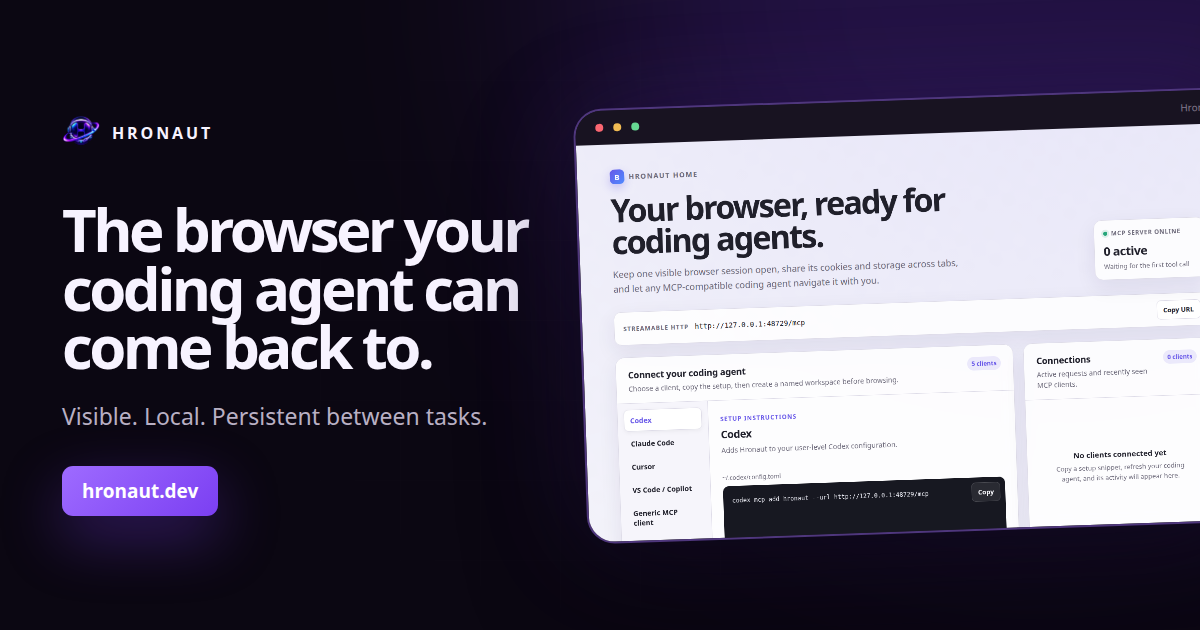
Watch the 35-second product overview, then download Hronaut for Windows, macOS, or Linux.
Not sure which browser model fits your workflow? Read the source-backed Browser MCP decision guide, which compares Hronaut with Playwright MCP, Chrome DevTools MCP, and an extension-based Browser MCP without claiming persistence is unique.
Highlights
- Persistent tabs, cookies, storage, sessions, workspaces, split views, and window state.
- Local Streamable HTTP MCP endpoint with browser navigation, interaction, inspection, diagnostics, downloads, storage, and accessibility tools.
- Multi-agent workspaces with stable UUIDv7 identities and isolated browser profiles.
- Human-interaction locks, instant MCP pause, explicit permissions, and optional bearer-token authentication.
- Built-in history, bookmarks, downloads, password vault, site controls, responsive preview, visual comparison, and Chromium diagnostics.
- Automatic update checks against public GitHub releases; downloads and installation always require user action.
- English, Ukrainian, Russian, German, French, Spanish, and Polish interface languages.
Install
Download the latest package for Windows, macOS, or Linux from GitHub Releases.
The initial release artifacts are not platform code-signed or Apple-notarized, so Windows SmartScreen or macOS Gatekeeper may show a warning. Verify downloads with the published hashes.txt file and GitHub artifact attestations.
Run from source
Requirements: Node.js 22 or newer and a graphical Linux, macOS, or Windows session.
npm install
npm run dev
Build and run the desktop application:
npm run build
npm start
Development uses a separate persistent hronaut-dev profile. Installed builds use the normal Hronaut profile.
Connect an MCP client
Start Hronaut, then configure a Streamable HTTP client with the local endpoint:
{
  "mcpServers": {
    "hronaut": {
      "url": "http://127.0.0.1:47812/mcp"
    }
  }
}
The public setup guide provides tested commands for Codex, Claude Code, Cursor, VS Code/GitHub Copilot, OpenCode, and generic MCP clients. Hronaut Home contains the current profile-specific version, including the right endpoint and authentication settings.
OpenCode
For a new Hronaut profile with MCP authentication disabled, add this server to the global ~/.config/opencode/opencode.json or a project's opencode.json:
{
  "$schema": "https://opencode.ai/config.json",
  "mcp": {
    "hronaut": {
      "type": "remote",
      "url": "http://127.0.0.1:47812/mcp",
      "enabled": true,
      "oauth": false
    }
  }
}
Start Hronaut, then verify the connection with opencode mcp list. If MCP authentication is enabled, copy the OpenCode configuration from Hronaut Home; it references the owner-only token file without placing the token in the JSON. Use opencode mcp debug hronaut to diagnose connection or authentication failures. See OpenCode's official MCP guide for the current stable schema.
The server listens only on loopback. Authentication is optional for a new profile and can be enabled under Settings → MCP security.
Development checks
npm run lint
npm test
npm run typecheck
npm run build
npm run test:integration:headless
Release packaging and publishing are centralized in .github/workflows/release.yml. Every local package command uses --publish never.
License
Hronaut is source-available under the PolyForm Noncommercial License 1.0.0. Uses not permitted by that license require an active commercial subscription license.
Outside contributions are welcome under the terms in CONTRIBUTING.md. Security reports should follow SECURITY.md.
For billing and licensing support, contact support@hronaut.dev.
Documentation
The detailed reference covers browser behavior, privacy and security boundaries, every MCP tool group, testing, packaging, and release operations.
Recommended Servers

playwright-mcp
A Model Context Protocol server that enables LLMs to interact with web pages through structured accessibility snapshots without requiring vision models or screenshots.

Audiense Insights MCP Server
Enables interaction with Audiense Insights accounts via the Model Context Protocol, facilitating the extraction and analysis of marketing insights and audience data including demographics, behavior, and influencer engagement.

Magic Component Platform (MCP)
An AI-powered tool that generates modern UI components from natural language descriptions, integrating with popular IDEs to streamline UI development workflow.

VeyraX MCP
Single MCP tool to connect all your favorite tools: Gmail, Calendar and 40 more.

graphlit-mcp-server
The Model Context Protocol (MCP) Server enables integration between MCP clients and the Graphlit service. Ingest anything from Slack to Gmail to podcast feeds, in addition to web crawling, into a Graphlit project - and then retrieve relevant contents from the MCP client.

Kagi MCP Server
An MCP server that integrates Kagi search capabilities with Claude AI, enabling Claude to perform real-time web searches when answering questions that require up-to-date information.

E2B
Using MCP to run code via e2b.

Neon Database
MCP server for interacting with Neon Management API and databases

Exa Search
A Model Context Protocol (MCP) server lets AI assistants like Claude use the Exa AI Search API for web searches. This setup allows AI models to get real-time web information in a safe and controlled way.

Qdrant Server
This repository is an example of how to create a MCP server for Qdrant, a vector search engine.