
Fiji MCP Server
Enables AI agents to control Fiji/ImageJ for microscopy image analysis through natural language commands, supporting operations like image opening, filtering, particle analysis, and automated workflows.
README
Fiji MCP Server




Ask your AI Agent in plain English to use Fiji / ImageJ to quickly analyze microscopy image also set pipelines from Cursor, Claude, Gemini, etc. You simply paste the image or ask it to navigate to the correct file.
The goal is that the AI agent should use the right ImageJ plugin, see what you are seeing and then verify its own results by writing codes without relying on vibes. I plan to setup SKILL and AI plugins in future. Would be happy to collaborate.
<!-- Demo images: absolute raw.githubusercontent.com URLs + Markdown tables (PyPI does not host ./demo_output; raw HTML <img> is less reliable in Warehouse). -->
See it in action
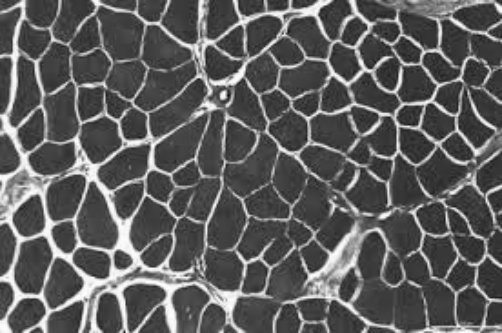
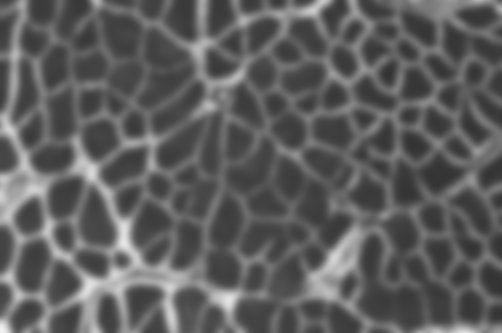
"Open the image, apply a Gaussian blur, show me before and after."
| Before | After |
|---|---|
 |
 |
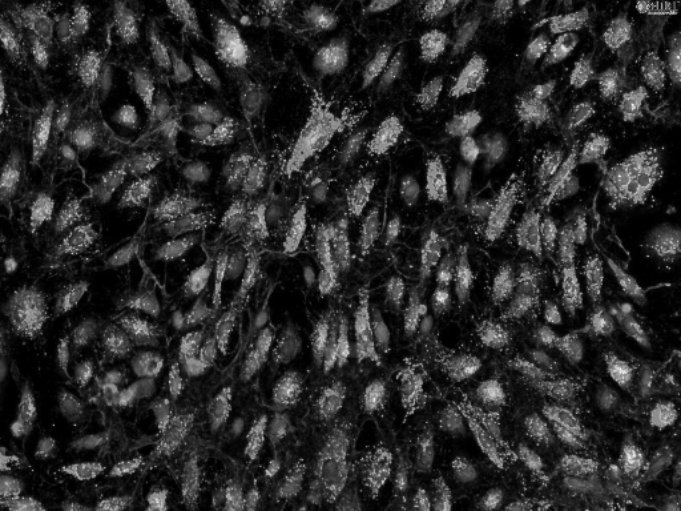
"Threshold the bright spots, outline each object, report area and circularity."
| Input | Outlined objects |
|---|---|
 |
 |
| # | Area | Circularity |
|---|---|---|
| 1 | 1052 | 0.89 |
| 2 | 2840 | 0.72 |
| 3 | 641 | 0.91 |
| 4 | 1902 | 0.68 |
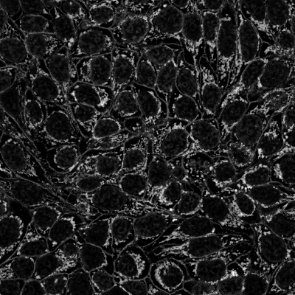
"Skeletonize the mask and summarize branches per tree."
| Mask | Skeleton |
|---|---|
 |
 |
| Tree | Branches | Junctions |
|---|---|---|
| 1 | 14 | 6 |
| 2 | 9 | 7 |
Get started in 3 steps
1 — Install
pip install fiji-mcp-server
You need Python 3.10+, Fiji installed on your machine, and Java (required by PyImageJ). See quickstart if anything needs clarification.
2 — Connect to your AI app
Replace /Applications/Fiji with your actual Fiji folder (the one containing jars/ and plugins/).
| App | One command |
|---|---|
| Claude Desktop | fiji-mcp-install install claude-desktop --fiji-path /Applications/Fiji |
| Cursor | fiji-mcp-install install cursor --fiji-path /Applications/Fiji |
| Claude Code | fiji-mcp-install install claude-code --fiji-path /Applications/Fiji |
| Gemini CLI | fiji-mcp-install install gemini --fiji-path /Applications/Fiji |
| Windsurf | fiji-mcp-install install windsurf --fiji-path /Applications/Fiji |
Then restart the app.
3 — Verify it works
In chat, type:
Run the Fiji MCP health_check tool
You should get back the Fiji version and mode. First startup takes 30–90 seconds while the JVM loads — that's normal.
What to ask
Once connected, just describe what you want:
"Open ./images/cells.tif and tell me the dimensions."

"Apply a Gaussian blur with sigma 4 and show me the result."

"Count the bright objects and give me their areas."

"Search for ImageJ commands related to 'threshold'."

"Open the image, subtract background, threshold, count particles — show me a screenshot after each step."
No macro knowledge needed. The assistant finds the right Fiji plugin, runs it, and can show you a screenshot to verify.
Available tools (19 total)
| Category | Tools |
|---|---|
| Run & I/O | health_check run_macro run_batch_macros open_image save_image |
| Screenshots | screenshot_fiji — full screen, active image, or results table |
| Discover plugins | list_all_commands search_commands describe_plugin list_extensions |
| Image info | list_open_images get_image_info |
| Workflows | run_workflow — chain steps with screenshot verification |
| Results | parse_macro_output compare_screenshots list_macro_templates get_macro_template |
| Session | get_session_trace clear_session_trace |
Documentation
| Quick start | Install, configure, verify — step by step |
| All tools | What every tool does and when to use it |
| Configuration | Environment variables and troubleshooting |
| Architecture | How the pieces fit together |
Author: Suraj Sahu · UC Merced Physics · ssahu2@ucmerced.edu
Related: cellpose_mcp · PyImageJ · FastMCP
License: BSD-3-Clause
Recommended Servers

playwright-mcp
A Model Context Protocol server that enables LLMs to interact with web pages through structured accessibility snapshots without requiring vision models or screenshots.

Magic Component Platform (MCP)
An AI-powered tool that generates modern UI components from natural language descriptions, integrating with popular IDEs to streamline UI development workflow.

Audiense Insights MCP Server
Enables interaction with Audiense Insights accounts via the Model Context Protocol, facilitating the extraction and analysis of marketing insights and audience data including demographics, behavior, and influencer engagement.

VeyraX MCP
Single MCP tool to connect all your favorite tools: Gmail, Calendar and 40 more.

graphlit-mcp-server
The Model Context Protocol (MCP) Server enables integration between MCP clients and the Graphlit service. Ingest anything from Slack to Gmail to podcast feeds, in addition to web crawling, into a Graphlit project - and then retrieve relevant contents from the MCP client.

Kagi MCP Server
An MCP server that integrates Kagi search capabilities with Claude AI, enabling Claude to perform real-time web searches when answering questions that require up-to-date information.

E2B
Using MCP to run code via e2b.

Neon Database
MCP server for interacting with Neon Management API and databases

Exa Search
A Model Context Protocol (MCP) server lets AI assistants like Claude use the Exa AI Search API for web searches. This setup allows AI models to get real-time web information in a safe and controlled way.

Qdrant Server
This repository is an example of how to create a MCP server for Qdrant, a vector search engine.