
figma-agent-mcp
Connects AI agents to Figma through a local WebSocket bridge, enabling read/write access to open Figma files, node manipulation, and AI-assisted rename/group features.
README
Figma Agent Kit
简体中文 | English











开源 Figma Desktop 插件 + 本地 MCP 桥:让 AI 编程 Agent 读写当前打开的设计稿,无需经 Figma REST API 上传画布。
已适配 Cursor · Claude Code · Codex · Qoder · CodeBuddy · Trae(以及其他支持 stdio MCP 的宿主)。
<p align="center"> <img src="https://raw.githubusercontent.com/ChinaCarlos/figma-agent-kit/main/docs/images/plugin-in-figma.png" alt="Figma Desktop 中已连接 MCP Bridge 的插件界面" width="720" /> </p>
flowchart LR
  Agent[AI_Agent] -->|stdio_MCP| McpProc[figma_agent_mcp]
  McpProc -->|Election| Role{Leader_or_Follower}
  Role -->|WS_MsgPack| PluginUI[Plugin_UI]
  PluginUI -->|postMessage| PluginMain[Plugin_main]
  PluginMain --> FigmaAPI[Figma_Plugin_API]
深入阅读:文档站 · 架构说明 · 截图图库 · 中文文档索引 · English README
支持的编辑器
figma-agent-mcp 是标准 stdio MCP 服务,可接入你正在用的 AI 编辑器:
| 编辑器 / IDE | 接入入口 | 配置方式 |
|---|---|---|
| Cursor | Settings → MCP,或 ~/.cursor/mcp.json |
JSON mcpServers |
| Claude Code | claude mcp add 或 .mcp.json |
JSON / CLI |
| Codex(OpenAI) | codex mcp add 或 ~/.codex/config.toml |
TOML / CLI |
| Qoder | 设置 → MCP → 添加 | JSON mcpServers |
| CodeBuddy | 设置 → MCP → Add MCP | JSON mcpServers |
| Trae | 设置 → MCP,或 .trae/mcp.json |
JSON mcpServers |
完整复制粘贴配置:接入 AI Agent · English guide
其他兼容 MCP 的客户端同样适用:用 stdio 运行
npx -y figma-agent-mcp即可。
为什么需要它
| 需求 | 本项目提供 |
|---|---|
| Agent ↔ 实时画布 | 37 个 MCP 工具(读 / 写 / 截图 / Motion) |
| 本地隐私 | 桥接流量走 localhost(默认端口 1998) |
| 多 Agent 窗口 | Leader / Follower 选举 — 共用一条 WS 桥 |
| 设计师工作流 | 可选 AI 重命名 / 分组、3× 切图、中英 UI |
包说明
| 包 | 分发方式 | 说明 |
|---|---|---|
figma-agent-mcp |
npm / GitHub Packages | Stdio MCP + HTTP/WS 桥 |
figma-agent-plugin |
GitHub Releases ZIP | Figma 插件(桥客户端、AI、切图) |
请保持 MCP 与插件为同一版本(见 npm / Releases)。
功能特性
- 多编辑器 MCP — Cursor、Claude Code、Codex、Qoder、CodeBuddy、Trae(接入指南)
- 37 个 MCP 工具 — 文档/选区/节点读写、填充、文本、Auto Layout、创建/分组/删除、Motion 等(目录)
- MessagePack 桥 — 二进制 WS + Follower RPC;截图在链路上为原始 PNG 字节
save_screenshots— TinyPNG 风格 PNG 压缩;scale=3与插件切图一致- 插件内 AI — 视觉重命名与嵌套分组(OpenAI 兼容 API)(说明)
- 切图导出 UI — 1× 预览、3× PNG / ZIP(说明)
- i18n — 插件界面中文 / English
快速开始
1. 安装插件
从 Releases 下载 figma-agent-plugin-v*.zip,解压后在 Figma Desktop:
Plugins → Development → Import plugin from manifest… → 选择 manifest.json → 运行 Figma Agent Kit。
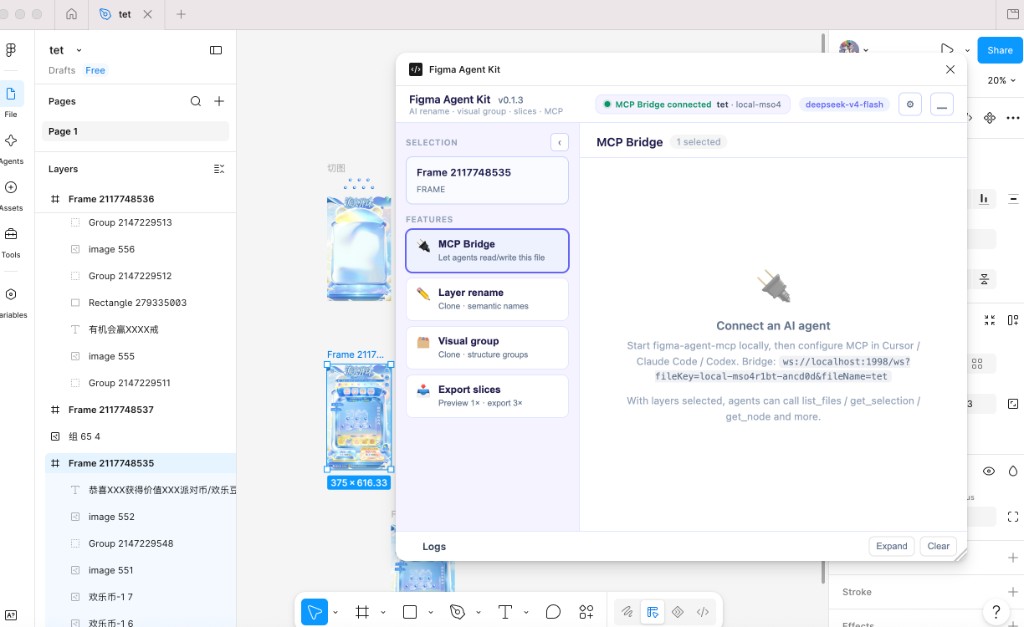
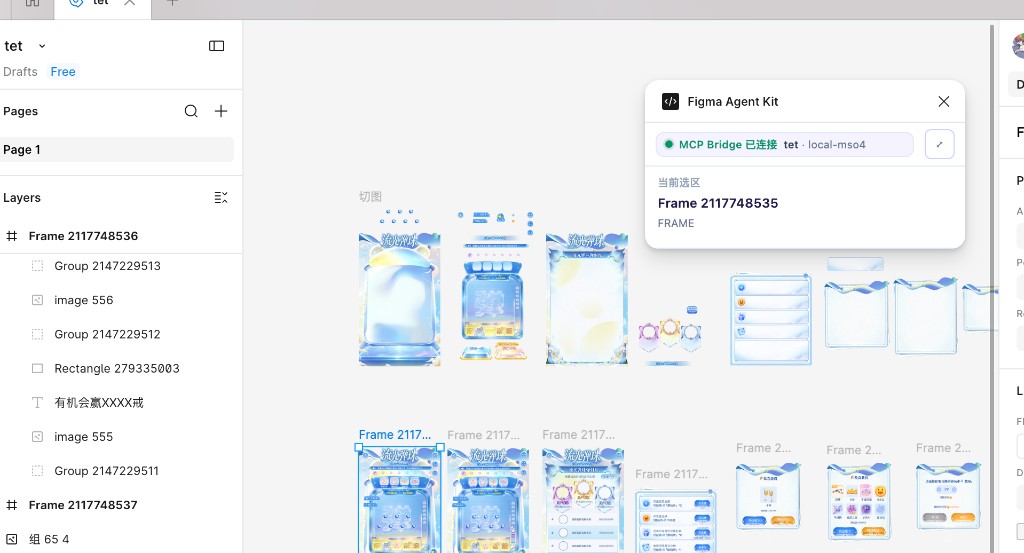
状态显示绿色 MCP Bridge 已连接 表示插件可与本地 MCP 通信:
| 完整面板 | Mini 模式 |
|---|---|
 |
 |
2. 接入你的编辑器(MCP)
先在 支持的编辑器 选中你的工具,再按对应章节配置:
docs/zh/agent-setup.md · English
Cursor 快速示例 — ~/.cursor/mcp.json:
{
  "mcpServers": {
    "figma-agent-mcp": {
      "command": "npx",
      "args": ["-y", "figma-agent-mcp"]
    }
  }
}
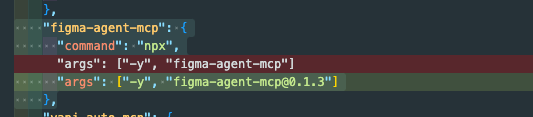
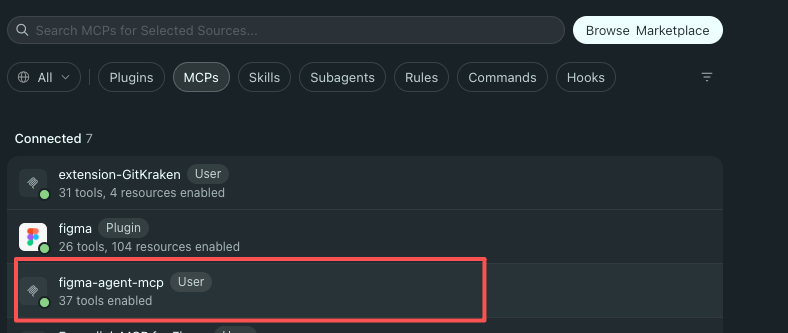
重启 MCP,打开文件并运行插件。在 Cursor → MCP 设置中应看到 figma-agent-mcp 且 37 tools enabled:
然后让 Agent 调用 list_files → get_selection。
3. 从源码构建
git clone https://github.com/ChinaCarlos/figma-agent-kit.git
cd figma-agent-kit
pnpm install
pnpm build:all
# 导入 packages/figma-agent-plugin/manifest.json
# pnpm start:mcp   # 可选本地启动
完整步骤见 上手指南。
文档索引
在线文档(Rspress / GitHub Pages,中英切换):https://chinacarlos.github.io/figma-agent-kit/
本地预览:pnpm install && pnpm dev:docs
| 文档 | 说明 |
|---|---|
| 上手指南 | 安装、配置、冒烟测试 |
| 接入 AI Agent | Cursor / Claude Code / Codex / Qoder / CodeBuddy / Trae |
| 截图图库 | 插件 + Cursor 界面截图 |
| 架构说明 | 模块、技术栈、流程图 |
| 桥接协议 | WS / HTTP / MsgPack |
| MCP 工具 | 工具参考 |
| AI 功能 | 重命名与分组 |
| 导出切图 | 插件与 MCP 导出 |
| 常见问题 | 排障 |
| MCP 发版 / 插件发版 | 发布流程 |
| 中文文档索引 | docs/zh/ 完整目录 |
| English README · English docs | 英文入口与文档索引 |
安全与隐私
- MCP 桥工具仅通过本地插件访问 Figma,不会为 MCP 上传整份文档。
- 可选 AI 重命名/分组会把截图 + 图层元数据发往你配置的 API;密钥保存在 Figma
clientStorage。 - 漏洞披露见 SECURITY.md。
参与贡献
见 CONTRIBUTING.md 与 Code of Conduct。
pnpm install
pnpm build:all
pnpm sync:bridge   # 修改 bridge.config.json 后
许可证
致谢
灵感来自社区中各类本地 Figma ↔ Agent 桥接实践,面向 Desktop + MCP 优先工作流打造。
Star History
如果本项目对你有帮助,欢迎点个 Star 支持一下 ⭐
Recommended Servers

playwright-mcp
A Model Context Protocol server that enables LLMs to interact with web pages through structured accessibility snapshots without requiring vision models or screenshots.

Magic Component Platform (MCP)
An AI-powered tool that generates modern UI components from natural language descriptions, integrating with popular IDEs to streamline UI development workflow.

Audiense Insights MCP Server
Enables interaction with Audiense Insights accounts via the Model Context Protocol, facilitating the extraction and analysis of marketing insights and audience data including demographics, behavior, and influencer engagement.

VeyraX MCP
Single MCP tool to connect all your favorite tools: Gmail, Calendar and 40 more.

graphlit-mcp-server
The Model Context Protocol (MCP) Server enables integration between MCP clients and the Graphlit service. Ingest anything from Slack to Gmail to podcast feeds, in addition to web crawling, into a Graphlit project - and then retrieve relevant contents from the MCP client.

Kagi MCP Server
An MCP server that integrates Kagi search capabilities with Claude AI, enabling Claude to perform real-time web searches when answering questions that require up-to-date information.

E2B
Using MCP to run code via e2b.

Neon Database
MCP server for interacting with Neon Management API and databases

Exa Search
A Model Context Protocol (MCP) server lets AI assistants like Claude use the Exa AI Search API for web searches. This setup allows AI models to get real-time web information in a safe and controlled way.

Qdrant Server
This repository is an example of how to create a MCP server for Qdrant, a vector search engine.