
Competitor Tracker
Competitor Tracker & Co. watches your competitors' websites and reports what changed: pricing, product, messaging and corporate moves, crawled weekly and filed as a tagged, ranked report. This server gives your agent the same intelligence: subscribe to competitors, read the change feed, and pull page snapshots.
README
<p align="center"> <img src="./icon-512.png" alt="Competitor Tracker & Co." width="120" height="120"> </p>
Competitor Tracker MCP server
Track your competitors from inside your AI assistant. This is the remote Model Context Protocol server for Competitor Tracker & Co. Subscribe to competitors, read their change feed, and pull page snapshots straight from Claude, Cursor, ChatGPT, or any other MCP client. No browser tab required.
- Website: https://competitortracker.io
- Docs: https://competitortracker.io/docs/mcp/
- Demo: https://competitortracker.io/demo/agent/
- MCP endpoint:
https://mcp.competitortracker.io/mcp - Transport: Streamable HTTP
- Auth: OAuth (sign in on first tool call) or an
X-API-Keyheader
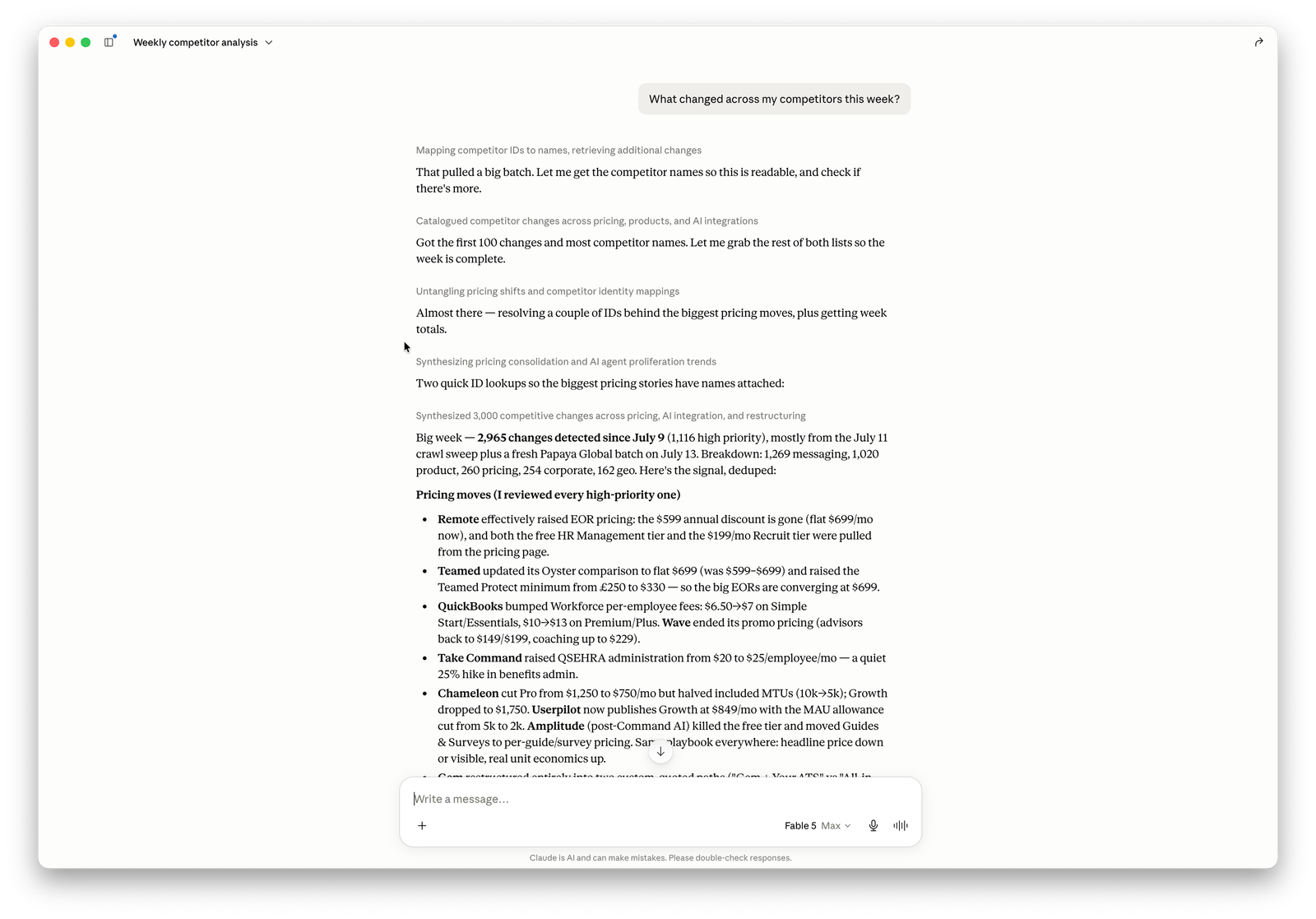
See it in action
Not ready to connect? Watch the agent desk: a recorded Claude session on this MCP server, working a live case of 25 competitive-intelligence rivals from April to July. Real tool calls, real detected changes. The same case as a Monday email brief sits next door, and the demo hub shows both.
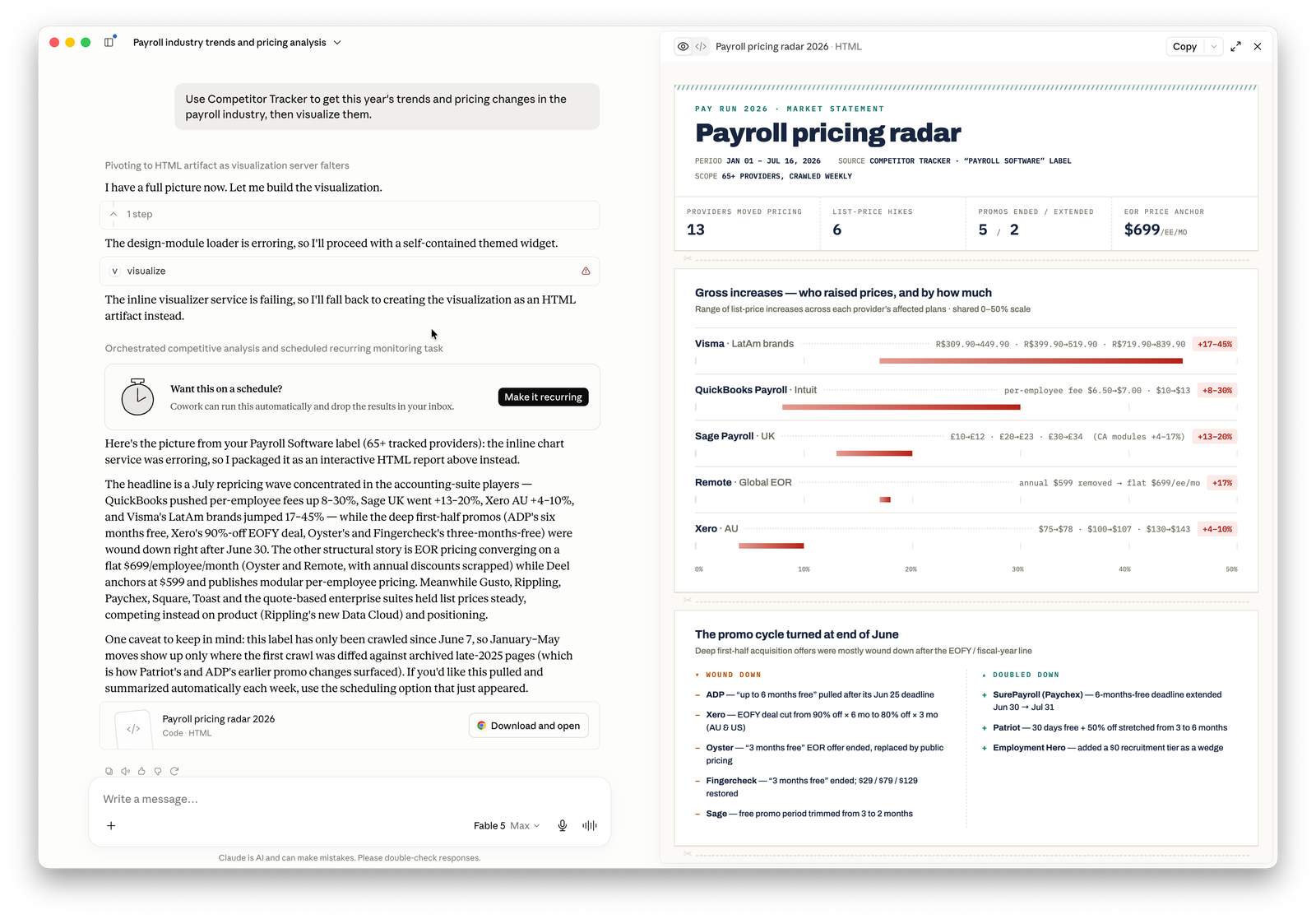
Connecting
Point any MCP-compatible client at the endpoint above.
Claude
claude mcp add --transport http competitor-tracker https://mcp.competitortracker.io/mcp
Cursor
Add to ~/.cursor/mcp.json, then enable it in Settings → MCP:
{
  "mcpServers": {
    "competitor-tracker": {
      "url": "https://mcp.competitortracker.io/mcp"
    }
  }
}
ChatGPT
Settings → Connectors → Add custom connector, using the endpoint URL above.
Windsurf
Add to ~/.codeium/windsurf/mcp_config.json:
{
  "mcpServers": {
    "competitor-tracker": {
      "serverUrl": "https://mcp.competitortracker.io/mcp"
    }
  }
}
Cline
{
  "mcpServers": {
    "competitor-tracker": {
      "type": "streamableHttp",
      "url": "https://mcp.competitortracker.io/mcp"
    }
  }
}
Raycast
Add a remote MCP server from AI → MCP Servers, using the endpoint URL above.
Full per-client instructions live at competitortracker.io/docs/mcp/connect.
Authentication
On the first tool call the server walks you through an OAuth sign-in. For headless or automated use, generate an API key in the app and send it as an X-API-Key header. See API keys.
Tools
The server exposes ~50 tools. Read tools need no special scope; (write) tools change your workspace and (destructive) tools require an explicit confirm: true.
list_competitors: list the competitors your organization tracksget_competitor: fetch one competitor's details, categories and labelsget_competitor_timeline: chronological activity for a competitorlist_pages: list tracked pages, optionally filtered by typeget_snapshot: retrieve a snapshot with HTML, markdown and screenshot assetslist_snapshots: list snapshots for a tracked pagelist_org_changes: read the organization-wide change feed with filterslist_competitor_changes: changes for a single competitorlist_snapshot_changes: changes attributed to a specific snapshotlist_labels: the organization's labels with colorsget_label: a single label's detailsget_current_user: the signed-in user's profilelist_my_orgs: organizations the user belongs toget_balance: coin balance and renewal summarylist_transactions: coin transaction historyget_org: current organization detailslist_members: active organization memberslist_invites: pending invitationslist_api_keys: API keys with metadata, secrets excludedlist_api_key_usage: API key usage logslist_dispatches: the organization's notificationslist_dispatch_deliveries: email delivery attemptslist_webhooks: registered webhookslist_webhook_deliveries: webhook delivery attemptssubscribe_competitor: start tracking a competitor by URL (write)update_competitor: change display name or tracked categories (write)create_label: add a new label (write)update_label: rename or recolor a label (write)assign_label: apply a label to a competitor (write)update_current_user: update profile name fields (write)update_org: rename the organization, admin only (write)update_member_role: change a member's permissions (write)create_invite: invite a new member by email (write)mint_api_key: generate a new API key with scopes (write)create_dispatch: create a notification with optional label scoping (write)update_dispatch: modify notification settings (write)add_dispatch_recipient: add a recipient to a notification (write)create_webhook: register a webhook endpoint (write)list_pages: list tracked pages, optionally filtered by typeget_snapshot: retrieve a snapshot with HTML, markdown and screenshot assetslist_snapshots: list snapshots for a tracked pagelist_org_changes: read the organization-wide change feed with filterslist_competitor_changes: changes for a single competitorlist_snapshot_changes: changes attributed to a specific snapshotlist_labels: the organization's labels with colorsget_label: a single label's detailsget_current_user: the signed-in user's profilelist_my_orgs: organizations the user belongs toget_balance: coin balance and renewal summarylist_transactions: coin transaction historyget_org: current organization detailslist_members: active organization memberslist_invites: pending invitationslist_api_keys: API keys with metadata, secrets excludedlist_api_key_usage: API key usage logslist_dispatches: the organization's notificationslist_dispatch_deliveries: email delivery attemptslist_webhooks: registered webhookslist_webhook_deliveries: webhook delivery attemptssubscribe_competitor: start tracking a competitor by URL (write)update_competitor: change display name or tracked categories (write)create_label: add a new label (write)update_label: rename or recolor a label (write)assign_label: apply a label to a competitor (write)update_current_user: update profile name fields (write)update_org: rename the organization, admin only (write)update_member_role: change a member's permissions (write)create_invite: invite a new member by email (write)mint_api_key: generate a new API key with scopes (write)create_dispatch: create a notification with optional label scoping (write)update_dispatch: modify notification settings (write)add_dispatch_recipient: add a recipient to a notification (write)create_webhook: register a webhook endpoint (write)unsubscribe_competitor: stop tracking a competitor (destructive)delete_label: remove a label from all competitors (destructive)unassign_label: detach a label from a competitor (destructive)delete_org: delete the organization, owner only (destructive)transfer_org_ownership: change the owner (destructive)leave_org: exit the organization (destructive)revoke_invite: cancel a pending invitation (destructive)revoke_api_key: disable an API key permanently (destructive)regenerate_api_key: rotate an API key secret (destructive)delete_dispatch: remove a notification (destructive)remove_dispatch_recipient: unsubscribe a notification recipient (destructive)delete_webhook: delete a webhook registration (destructive)
The full, always-current catalogue is at competitortracker.io/docs/mcp/tools.
Who it's for
Founders, product and marketing teams who already live in an AI assistant and want competitor intelligence where they work: pricing moves, page changes, launches. Not in yet another dashboard.
About this repository
This repo is the public listing and manifest for the Competitor Tracker MCP server (server.json, client config, install notes). The server itself runs remotely at https://mcp.competitortracker.io/mcp, so there is nothing to build or host here. To use it, just point your client at the endpoint.
License
MIT.
Recommended Servers

playwright-mcp
A Model Context Protocol server that enables LLMs to interact with web pages through structured accessibility snapshots without requiring vision models or screenshots.

Magic Component Platform (MCP)
An AI-powered tool that generates modern UI components from natural language descriptions, integrating with popular IDEs to streamline UI development workflow.

Audiense Insights MCP Server
Enables interaction with Audiense Insights accounts via the Model Context Protocol, facilitating the extraction and analysis of marketing insights and audience data including demographics, behavior, and influencer engagement.

VeyraX MCP
Single MCP tool to connect all your favorite tools: Gmail, Calendar and 40 more.

graphlit-mcp-server
The Model Context Protocol (MCP) Server enables integration between MCP clients and the Graphlit service. Ingest anything from Slack to Gmail to podcast feeds, in addition to web crawling, into a Graphlit project - and then retrieve relevant contents from the MCP client.

Kagi MCP Server
An MCP server that integrates Kagi search capabilities with Claude AI, enabling Claude to perform real-time web searches when answering questions that require up-to-date information.

E2B
Using MCP to run code via e2b.

Neon Database
MCP server for interacting with Neon Management API and databases

Exa Search
A Model Context Protocol (MCP) server lets AI assistants like Claude use the Exa AI Search API for web searches. This setup allows AI models to get real-time web information in a safe and controlled way.

Qdrant Server
This repository is an example of how to create a MCP server for Qdrant, a vector search engine.