
Cellpose MCP Server
Enables AI assistants to perform cell segmentation through natural language commands, including 2D/3D segmentation, batch processing, image restoration, and custom model training.
README
Cellpose MCP Server



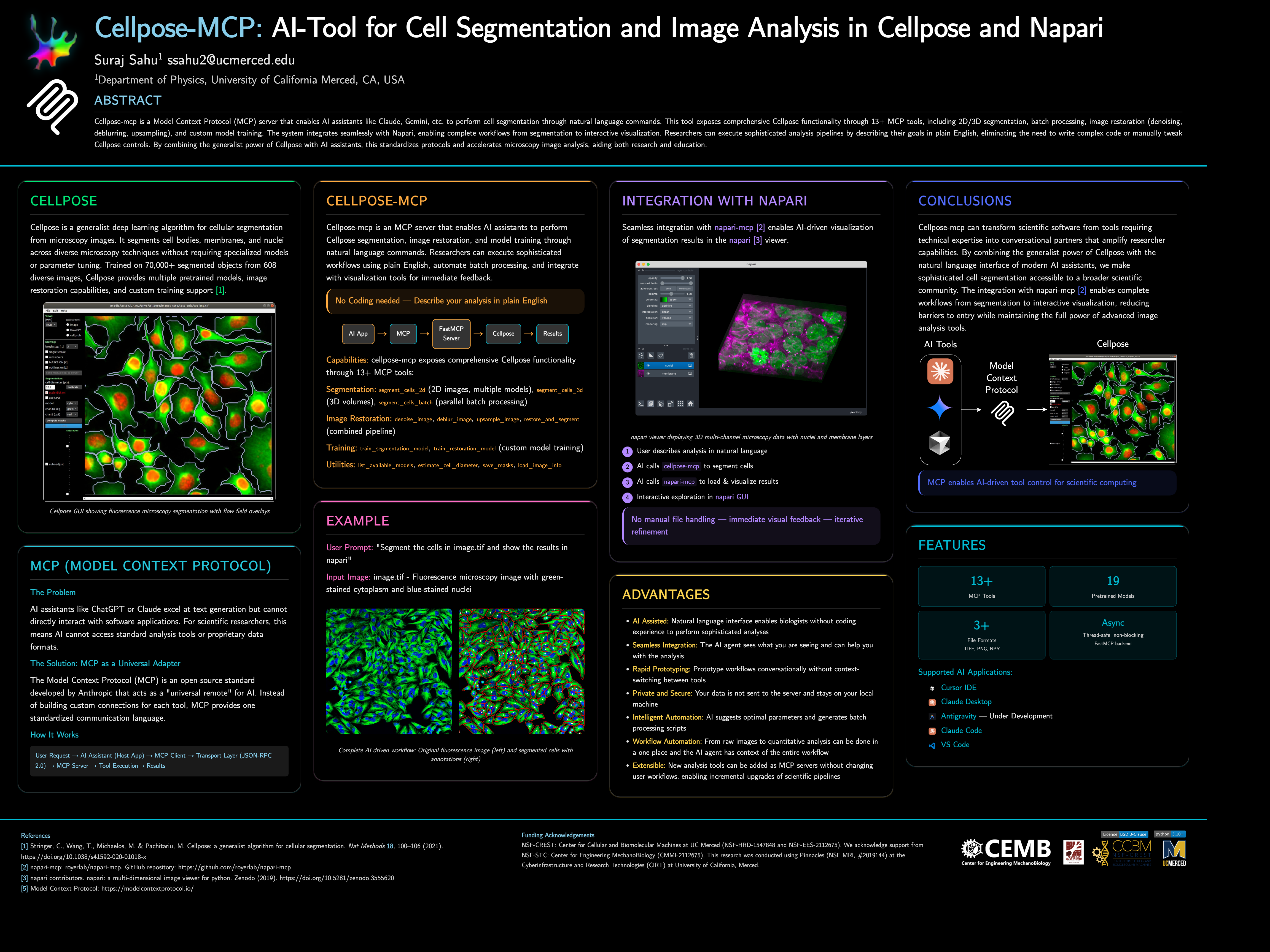
Cellpose-mcp is a Model Context Protocol (MCP) server that enables AI assistants like Claude, Cursor IDE, etc. to perform cell segmentation through natural language commands. This tool exposes comprehensive Cellpose functionality through 13+ MCP tools, including 2D/3D segmentation, batch processing, image restoration (denoising, deblurring, upsampling), and custom model training. The system integrates seamlessly with Napari, enabling complete workflows from segmentation to interactive visualization.
📌 Note: This project started as a fun project inspired by napari-mcp and adapted for Cellpose segmentation workflows. If you would like to contribute then please get in touch with me at ssahu2@ucmerced.edu.
🚀 Quick Start
Requirements: Python 3.10 or later (use a virtual environment or conda).
Install from PyPI:
pip install cellpose-mcp
Install and configure for Cursor in one go:
pip install cellpose-mcp && cellpose-mcp-install cursor
The installer uses the Python that runs the command (or a conda env named Cellpose_mcp if present). Restart Cursor after configuring.
Development install (from source):
git clone https://github.com/surajinacademia/cellpose_mcp.git
cd cellpose_mcp
pip install -e .
Auto-Configure Your AI Application
After pip install cellpose-mcp, run the installer for your app. It writes to the correct MCP config file using your current Python.
| Application | Command | Notes |
|---|---|---|
| Cursor IDE | cellpose-mcp-install cursor |
Writes to ~/.cursor/mcp.json |
| Claude Desktop | cellpose-mcp-install claude-desktop |
Adds to Claude Desktop config |
| Antigravity | cellpose-mcp-install antigravity |
Configures Antigravity MCP |
| VS Code (Cline/Roo Cline) | cellpose-mcp-install vscode |
Configures Cline/Roo Cline extension |
| Claude Code | Manual only | See Manual Configuration below |
Options: --python-path /path/to/python to use a specific Python; --env-name NAME to use a conda env (default: Cellpose_mcp).
<details> <summary>Manual Configuration for Claude Code</summary>
If you prefer manual setup (or use Claude Code), create a .mcp.json file in your project root. Use the full path to your Python executable if python is not the one that has cellpose-mcp installed (e.g. a venv or conda):
{
  "mcpServers": {
    "cellpose": {
      "command": "python",
      "args": ["-m", "cellpose_mcp"],
      "env": {
        "KMP_DUPLICATE_LIB_OK": "TRUE",
        "OMP_NUM_THREADS": "1"
      }
    }
  }
}
For Cursor, use the same structure in ~/.cursor/mcp.json (global) or .cursor/mcp.json in your project.
</details>
After installation, restart your AI app and try asking:
"Can you list available Cellpose models?"
"Segment the cells in ./data/sample.tif using the cyto2 model"
🎯 What Can You Do?
Example: Cell Segmentation in Action
<table> <tr> <td width="50%"> <img src="https://raw.githubusercontent.com/surajinacademia/cellpose_mcp/main/poster/poster_images/img00.png" alt="Original fluorescence microscopy image" /> <p align="center"><em>Original Image: Fluorescence microscopy with green-stained cytoplasm and blue-stained nuclei</em></p> </td> <td width="50%"> <img src="https://raw.githubusercontent.com/surajinacademia/cellpose_mcp/main/poster/poster_images/img00_annotated_overlay.png" alt="Segmented cells with annotations" /> <p align="center"><em>Segmented Result: Cells automatically detected with boundaries and labels</em></p> </td> </tr> </table>
Basic Cell Segmentation
"Segment the cells in ./data/sample.tif using the cyto2 model"
"List available Cellpose models"
"Estimate cell diameter from ./data/image.tif"
Advanced Workflows
"Segment all TIFF files in ./data/images/ and save masks to ./output/"
"Train a custom segmentation model using images in ./train/images/ and masks in ./train/masks/"
"Restore and segment the noisy image in ./data/noisy.tif using oneclick_cyto3"
Batch Processing
"Process all images in ./data/ with the cyto2 model and save results to ./output/"
🛠 Available MCP Tools
The server exposes 13+ tools for complete Cellpose functionality:
Segmentation Tools
segment_cells_2d- Segment cells in 2D imagessegment_cells_3d- Segment cells in 3D volumessegment_cells_batch- Batch process multiple images
Image Restoration Tools
denoise_image- Denoise microscopy imagesdeblur_image- Deblur microscopy imagesupsample_image- Upsample low-resolution imagesrestore_and_segment- Combined restoration + segmentation
Training Tools
train_segmentation_model- Train custom segmentation modeltrain_restoration_model- Train custom restoration model
Utility Tools
list_available_models- List all pretrained modelsestimate_cell_diameter- Estimate cell diameter from imagesave_masks- Save masks in various formatsload_image_info- Get image metadata
📖 Documentation
- Quick Start Guide - Get running in 3 steps
- Available Tools - Complete tool list
- Release Notes - Detailed v0.1.0 release information
- Changelog - Version history and changes
📋 Architecture
- FastMCP Server: Handles MCP protocol communication
- Cellpose Integration: Manages model loading and segmentation operations
- Tool Layer: Exposes Cellpose functionality as MCP tools
- File I/O: Handles image reading, writing, and mask generation
Key features:
- Thread-safe: All operations are properly serialized
- Non-blocking: Async operations for better performance
- Napari Integration: Integration with Napari for visualization and analysis
Author: Suraj Sahu
Affiliation: Department of Physics, University of California Merced, CA, USA
Email: ssahu2@ucmerced.edu
📄 License
BSD-3-Clause License - see LICENSE file for details.
🙏 Acknowledgments
- Napari MCP by royerlab
- Cellpose team for the excellent segmentation library
- FastMCP for the MCP framework
- Anthropic for Claude and MCP development
- Model Context Protocol - Open standard for AI-tool integration
Recommended Servers

playwright-mcp
A Model Context Protocol server that enables LLMs to interact with web pages through structured accessibility snapshots without requiring vision models or screenshots.

Magic Component Platform (MCP)
An AI-powered tool that generates modern UI components from natural language descriptions, integrating with popular IDEs to streamline UI development workflow.

Audiense Insights MCP Server
Enables interaction with Audiense Insights accounts via the Model Context Protocol, facilitating the extraction and analysis of marketing insights and audience data including demographics, behavior, and influencer engagement.

VeyraX MCP
Single MCP tool to connect all your favorite tools: Gmail, Calendar and 40 more.

graphlit-mcp-server
The Model Context Protocol (MCP) Server enables integration between MCP clients and the Graphlit service. Ingest anything from Slack to Gmail to podcast feeds, in addition to web crawling, into a Graphlit project - and then retrieve relevant contents from the MCP client.

Kagi MCP Server
An MCP server that integrates Kagi search capabilities with Claude AI, enabling Claude to perform real-time web searches when answering questions that require up-to-date information.

E2B
Using MCP to run code via e2b.

Neon Database
MCP server for interacting with Neon Management API and databases

Exa Search
A Model Context Protocol (MCP) server lets AI assistants like Claude use the Exa AI Search API for web searches. This setup allows AI models to get real-time web information in a safe and controlled way.

Qdrant Server
This repository is an example of how to create a MCP server for Qdrant, a vector search engine.