
AGE-MCP-Server
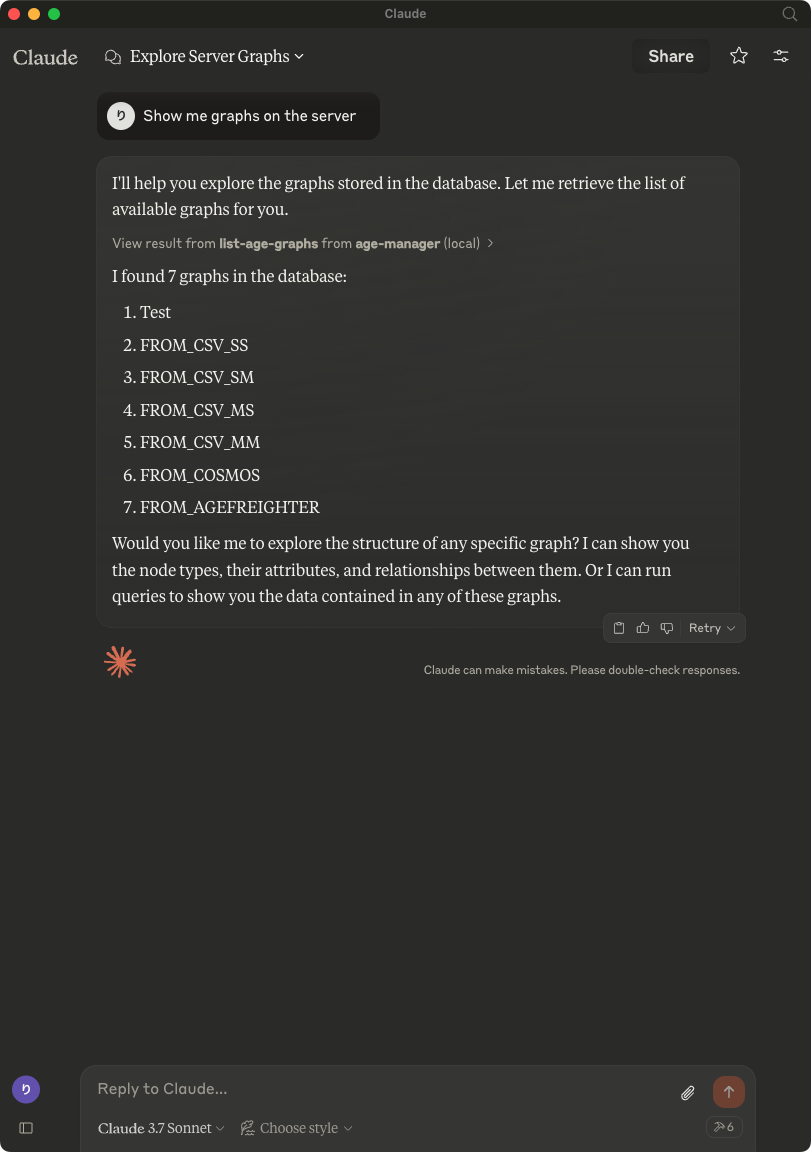
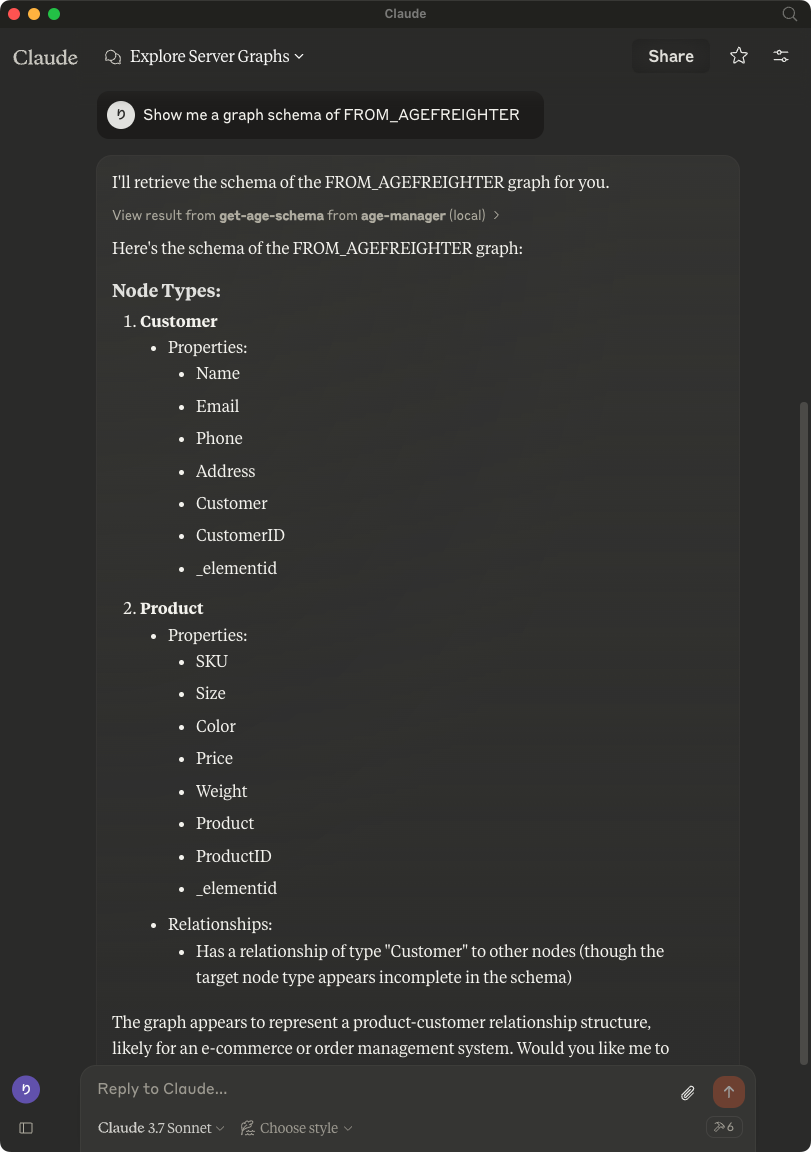
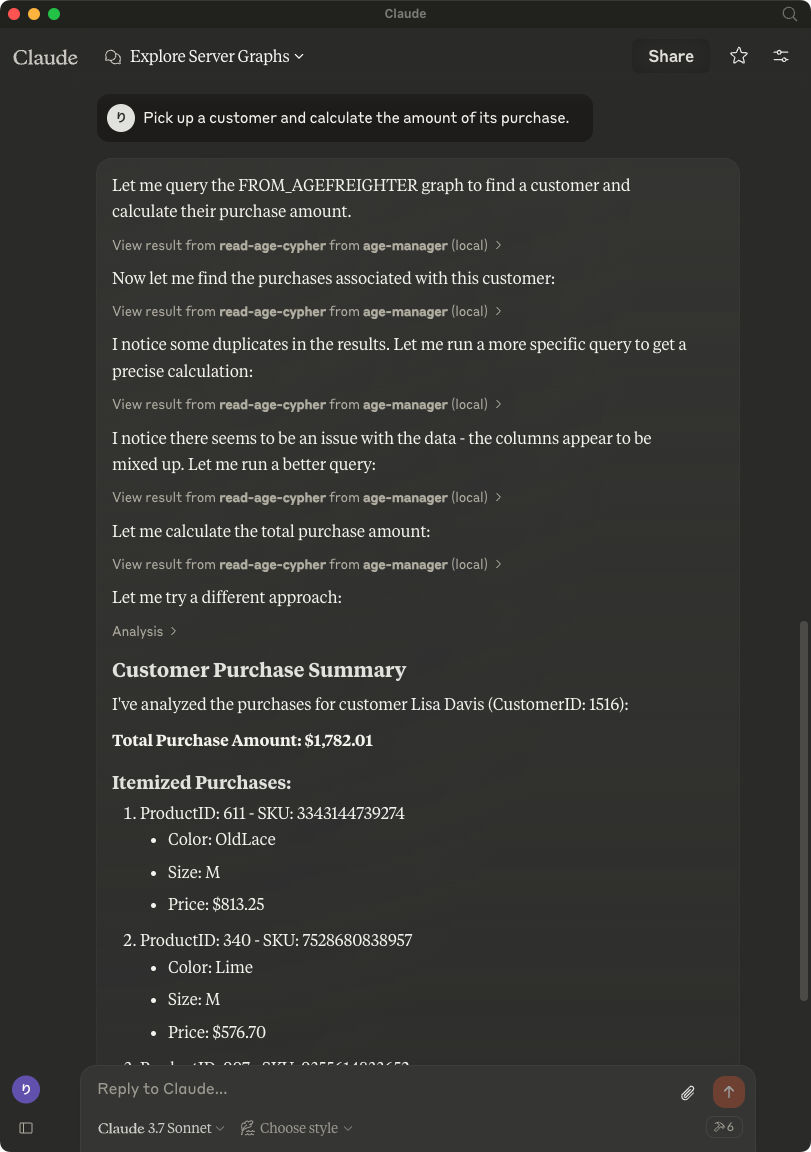
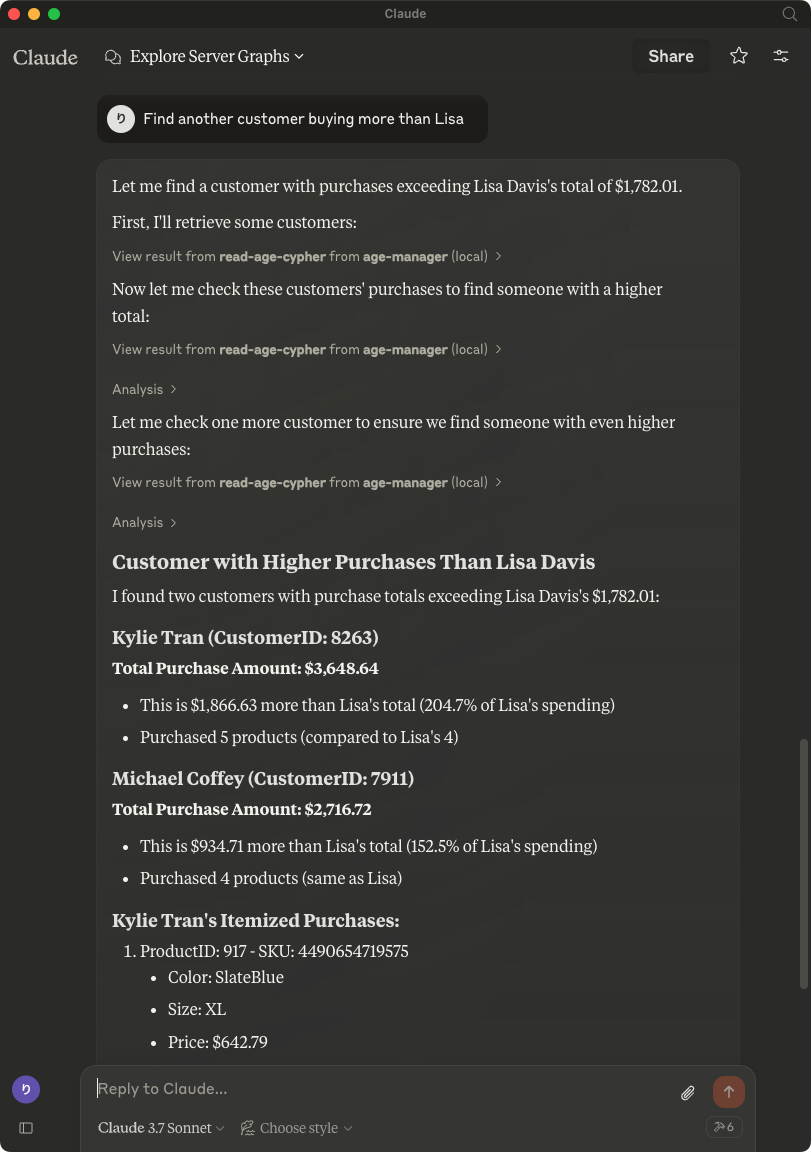
An MCP server that provides natural language interaction with Apache AGE graph databases, allowing users to query, visualize and manipulate graph data in PostgreSQL through Claude AI.
rioriost
README
AGE-MCP-Server


Apache AGE MCP Server
Apache AGE™ is a PostgreSQL Graph database compatible with PostgreSQL's distributed assets and leverages graph data structures to analyze and use relationships and patterns in data.
Azure Database for PostgreSQL is a managed database service that is based on the open-source Postgres database engine.
Introducing support for Graph data in Azure Database for PostgreSQL (Preview).
Table of Contents
- Prerequisites
- Install
- Usage with Claude
- Usage with Visual Studio Code Insiders
- Write Operations
- Release Notes
- For More Information
- License
Prerequisites
- Python 3.13 and above
- This module runs on psycopg
- Enable the Apache AGE extension in your Azure Database for PostgreSQL instance. Login Azure Portal, go to 'server parameters' blade, and check 'AGE" on within 'azure.extensions' and 'shared_preload_libraries' parameters. See, above blog post for more information.
- Load the AGE extension in your PostgreSQL database.
CREATE EXTENSION IF NOT EXISTS age CASCADE;
- Claude Download from Claude Desktop Client or,
brew install claude
- Visual Studio Code Insiders Download from Visual Studio Code or,
brew intall visual-studio-code
Install
- with brew
brew tap rioriost/age-mcp-server
brew install age-mcp-server
- with uv
uv init your_project
cd your_project
uv venv
source .venv/bin/activate
uv add age-mcp-server
- with python venv on macOS / Linux
mkdir your_project
cd your_project
python3 -m venv .venv
source .venv/bin/activate
python3 -m pip install age-mcp-server
- with python venv on Windows
mkdir your_project
cd your_project
python -m venv venv
.\venv\Scripts\activate
python -m pip install age-mcp-server
Usage with Claude
-
on macOS
claude_desktop_config.jsonis located in~/Library/Application Support/Claude/. -
on Windows You need to create a new
claude_desktop_config.jsonunder%APPDATA%\Claude. -
Homebrew on macOS
Homebrew installs age-mcp-server into $PATH.
{
  "mcpServers": {
    "age-manager": {
      "command": "age-mcp-server",
      "args": [
        "--pg-con-str",
        "host=your_server.postgres.database.azure.com port=5432 dbname=postgres user=your_username password=your_password",
      ]
    }
  }
}
- uv / Pyhon venv
On macOS:
{
  "mcpServers": {
    "age-manager": {
      "command": "/Users/your_username/.local/bin/uv",
      "args": [
        "--directory",
        "/path/to/your_project",
        "run",
        "age-mcp-server",
        "--pg-con-str",
        "host=your_server.postgres.database.azure.com port=5432 dbname=postgres user=your_username password=your_password",
      ]
    }
  }
}
On Windows:
{
  "mcpServers": {
    "age-manager": {
      "command": "C:\\Users\\USER\\.local\\bin\\uv.exe",
      "args": [
        "--directory",
        "C:\\path\\to\\your_project",
        "run",
        "age-mcp-server",
        "--pg-con-str",
        "host=your_server.postgres.database.azure.com port=5432 dbname=postgres user=your_username password=your_password",
      ]
    }
  }
}
If you need to hide the password or to use Entra ID, you can set --pg-con-str as follows.
{
  "mcpServers": {
    "age-manager": {
        ...
        "--pg-con-str",
        "host=your_server.postgres.database.azure.com port=5432 dbname=postgres user=your_username",
        ...
      ]
    }
  }
}
And, you need to set PGPASSWORD env variable, or to install Azure CLI and sign into Azure with your Azure account.
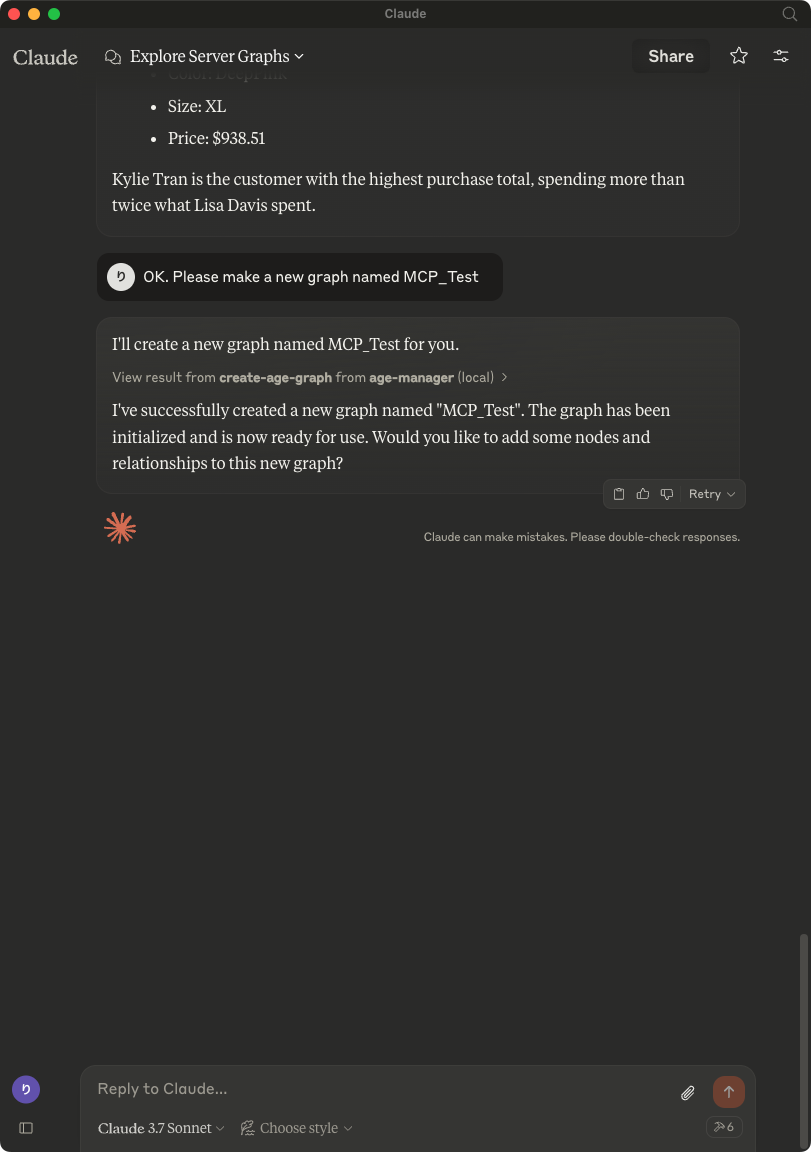
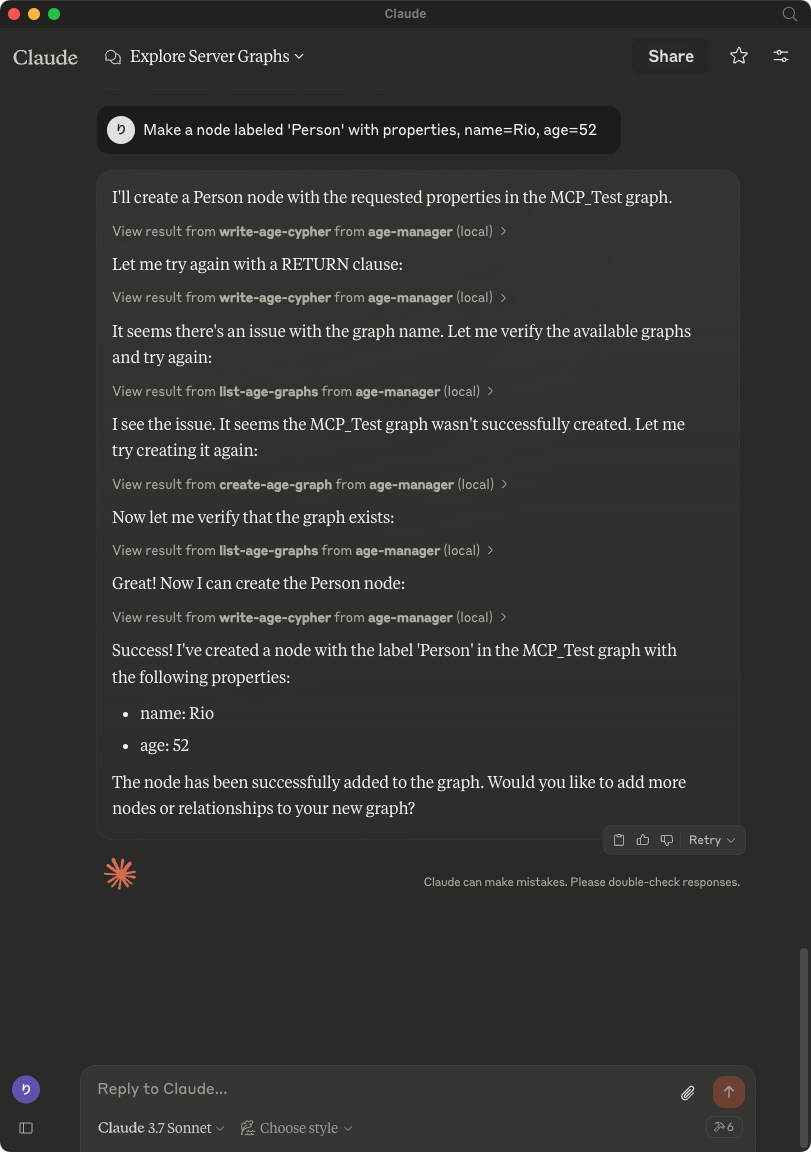
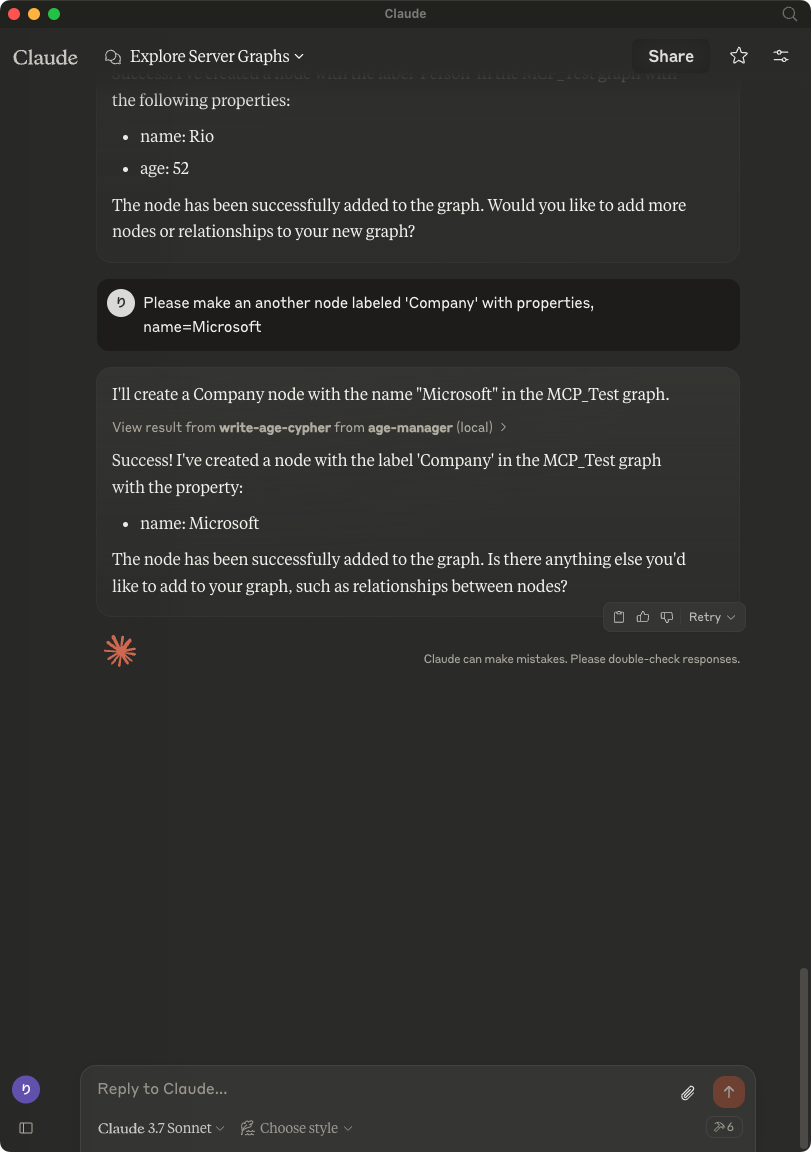
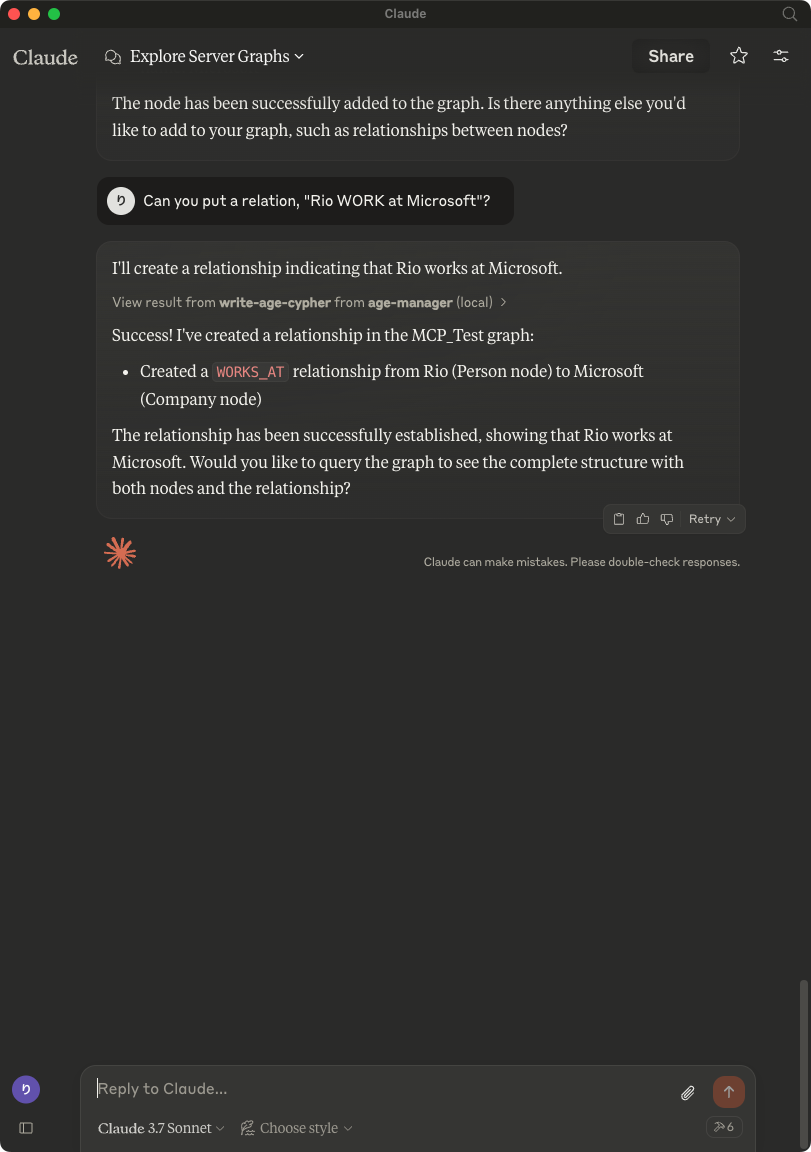
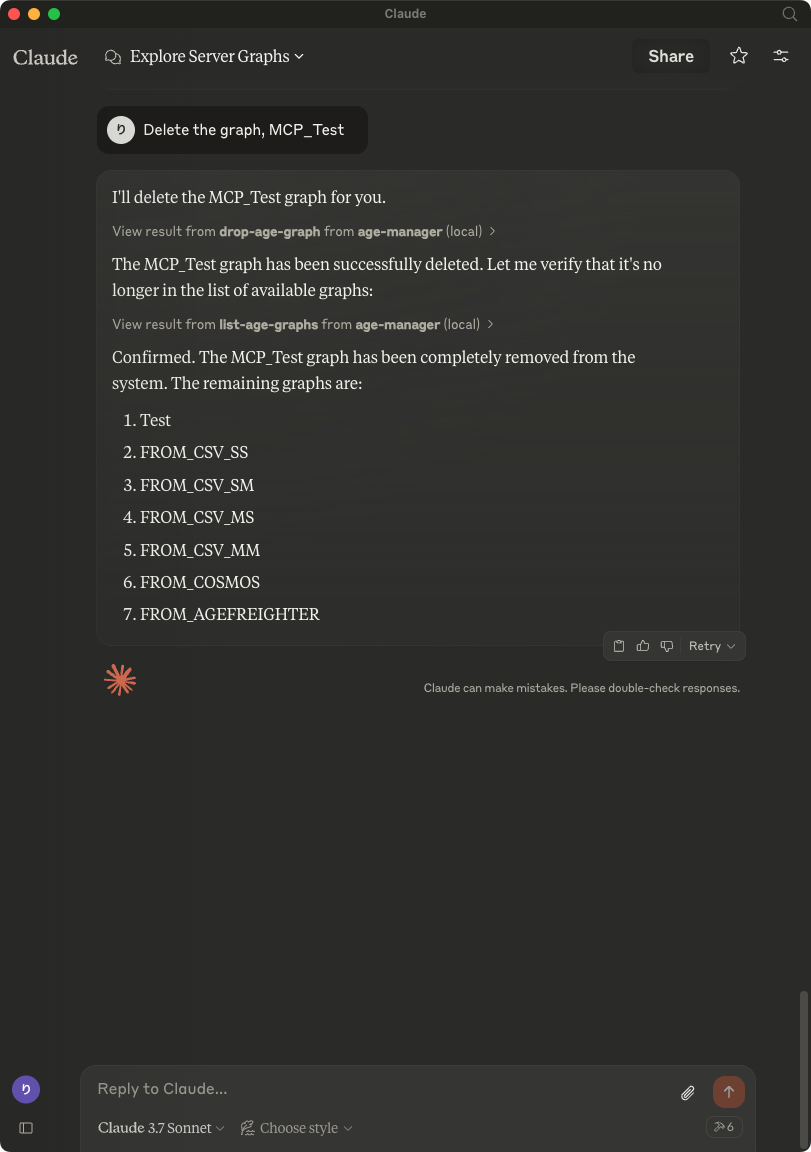
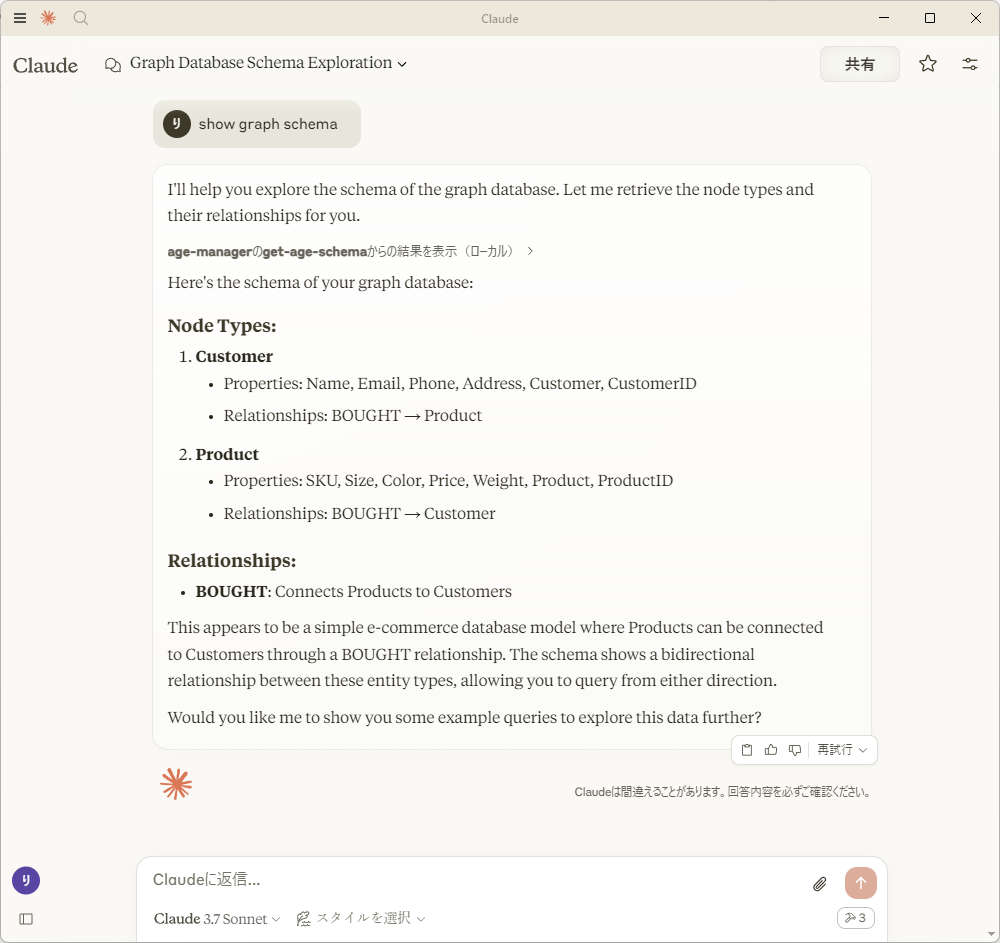
After saving claude_desktop_config.json, start Claude Desktop Client.
Usage with Visual Studio Code
After installing, [Preferences]->[Settings] and input mcp to [Search settings].

Edit the settings.json as followings:
{
    "mcp": {
        "inputs": [],
        "servers": {
            "age-manager": {
            "command": "/Users/your_user_name/.local/bin/uv",
            "args": [
                "--directory",
                "/path/to/your_project",
                "run",
                "age-mcp-server",
                "--pg-con-str",
                "host=your_server.postgres.database.azure.com port=5432 dbname=postgres user=your_username password=your_password",
                "--debug"
            ]
            }
        }
    }
}
And then, you'll see start to start the AGE MCP Server.
Switch the Chat window to agent mode.

Now, you can play with your graph data via Visual Studio Code!

Write Operations
AGE-MCP-Server prohibits write operations by default for safety. If you want to enable write operations, you can use the --allow-write flag.
{
  "mcpServers": {
    "age-manager": {
      "command": "age-mcp-server",
      "args": [
        "--pg-con-str",
        "host=your_server.postgres.database.azure.com port=5432 dbname=postgres user=your_username password=your_password",
        "--allow-write"
      ]
    }
  }
}
Release Notes
0.2.8 Release
- Add support for VSCode(Stable)
0.2.7 Release
- Add support for VSCode Insiders
0.2.6 Release
- Fix a typo
0.2.5 Release
- Support connection with Entra ID
0.2.4 Release
- Dependency Update
0.2.3 Release
- Dependency Update
0.2.2 Release
- Drop a conditional test of
CREATEoperation by addingRETURNto the description forwrite-age-cyphertool.
0.2.1 Release
- Fix a bug in node/edge creation
0.2.0 Release
- Add multiple graph support
- Add graph creation and deletion support
- Obsolete
--graph-nameargument
0.1.8 Release
- Add
--allow-writeflag
0.1.7 Release
- Add Windows support
0.1.6 Release
- Fix parser for
RETURNvalues
0.1.5 Release
- Draft release
0.1.4 Release
- Draft release
0.1.3 Release
- Draft release
0.1.2 Release
- Draft release
0.1.1 Release
- Draft release
0.1.0a1 Release
- Draft release
For More Information
- Apache AGE : https://age.apache.org/
- GitHub : https://github.com/apache/age
- Document : https://age.apache.org/age-manual/master/index.html
License
MIT License
Recommended Servers

Crypto Price & Market Analysis MCP Server
A Model Context Protocol (MCP) server that provides comprehensive cryptocurrency analysis using the CoinCap API. This server offers real-time price data, market analysis, and historical trends through an easy-to-use interface.

MCP PubMed Search
Server to search PubMed (PubMed is a free, online database that allows users to search for biomedical and life sciences literature). I have created on a day MCP came out but was on vacation, I saw someone post similar server in your DB, but figured to post mine.

dbt Semantic Layer MCP Server
A server that enables querying the dbt Semantic Layer through natural language conversations with Claude Desktop and other AI assistants, allowing users to discover metrics, create queries, analyze data, and visualize results.

Sequential Thinking MCP Server
This server facilitates structured problem-solving by breaking down complex issues into sequential steps, supporting revisions, and enabling multiple solution paths through full MCP integration.

mixpanel
Connect to your Mixpanel data. Query events, retention, and funnel data from Mixpanel analytics.
Vectorize
Vectorize MCP server for advanced retrieval, Private Deep Research, Anything-to-Markdown file extraction and text chunking.
Nefino MCP Server
Provides large language models with access to news and information about renewable energy projects in Germany, allowing filtering by location, topic (solar, wind, hydrogen), and date range.

Mathematica Documentation MCP server
A server that provides access to Mathematica documentation through FastMCP, enabling users to retrieve function documentation and list package symbols from Wolfram Mathematica.
kb-mcp-server
An MCP server aimed to be portable, local, easy and convenient to support semantic/graph based retrieval of txtai "all in one" embeddings database. Any txtai embeddings db in tar.gz form can be loaded

Research MCP Server
The server functions as an MCP server to interact with Notion for retrieving and creating survey data, integrating with the Claude Desktop Client for conducting and reviewing surveys.